Opportunity Tracking & Nurturing
To close a deal, proper follow up and objections handling plays a vital role. Keep a detailed track of all the follow ups and customers in the pipeline from a single place with respective remarks and required details. Monitor all prospects stagewise and take appropriate actions accordingly with Wortal sales CRM software.
Opportunity Creation
Manual
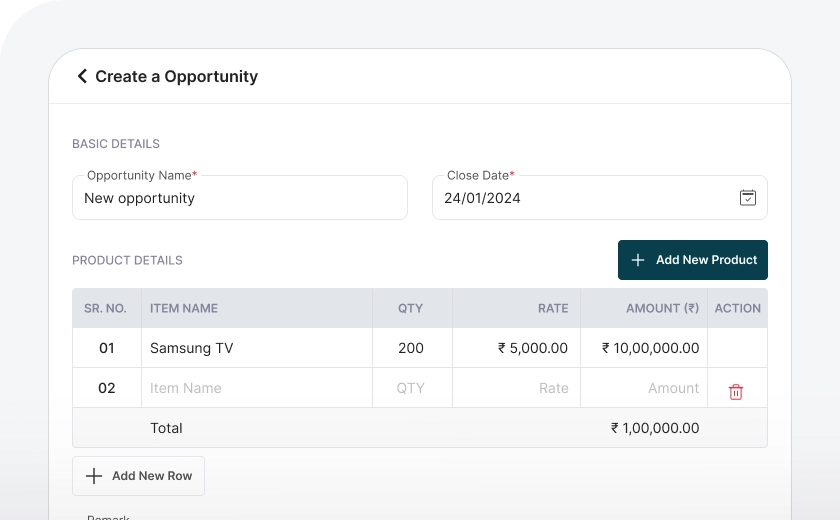
To create an opportunity, just click the "Create" button and enter the required information, such as the opportunity name, the product in which client is interested in, and their contact details. Once completed, your opportunity is set up and ready to track. created and ready for follow-up.
Workflow Automation
To create an opportunity by workflow automation, just click the "Convert" button in the lead detailed view and enter the required information, such as the opportunity name, the product in which client is interested in and save it.Your lead will be converted into opportunity.
Recurring Opportunity
When you create an opportunity, you can set it to repeat automatically at regular intervals using the Recurring opportunity feature. You just need to choose the date when the opportunity should start recurring and how often it should repeat, like daily, weekly, or monthly. This way, the opportunity will come up again on its own.
Opportunity Assignment
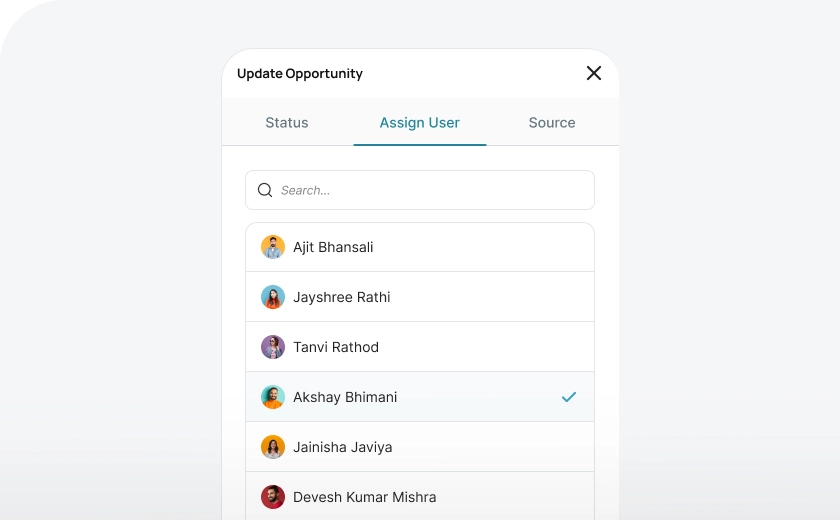
Wortal gives admins complete control over opportunity distribution, allowing them to decide who assigns opportunity to team members. With just a few clicks, opportunity can be quickly filtered and assigned based on set criteria. The mass update feature makes it even easier, enabling bulk opportunity assignments in seconds.
Communication
Call
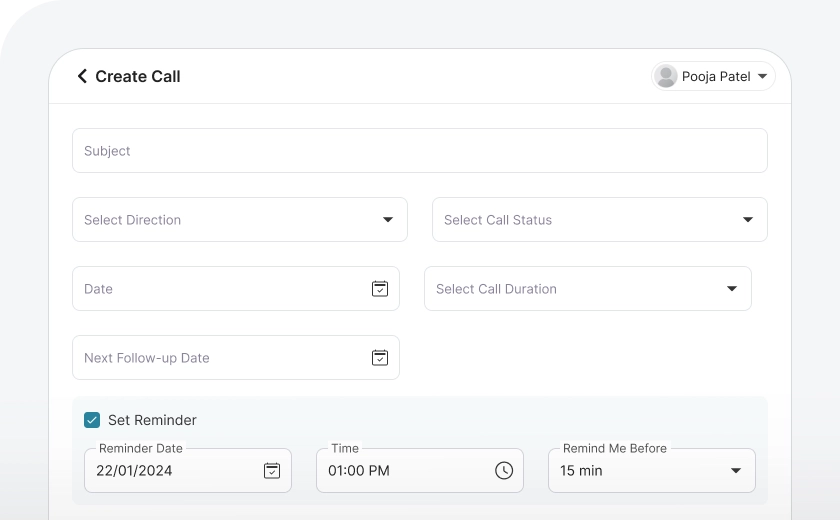
Track every call with complete details, including inbound/outbound status, call summary, follow-up dates, and reminders to maintain seamless communication. This keeps client interactions organized and you can set follow-up dates as well.
Send instant emails from the CRM using predefined templates, with options to attach catalogs. Schedule emails for future delivery to maintain timely communication.
Easily share information with clients via WhatsApp using predefined templates for instant communication. Business WhatsApp API integration helps you set automation to send messages automatically on defined trigger points from the CRM.
Task Creation
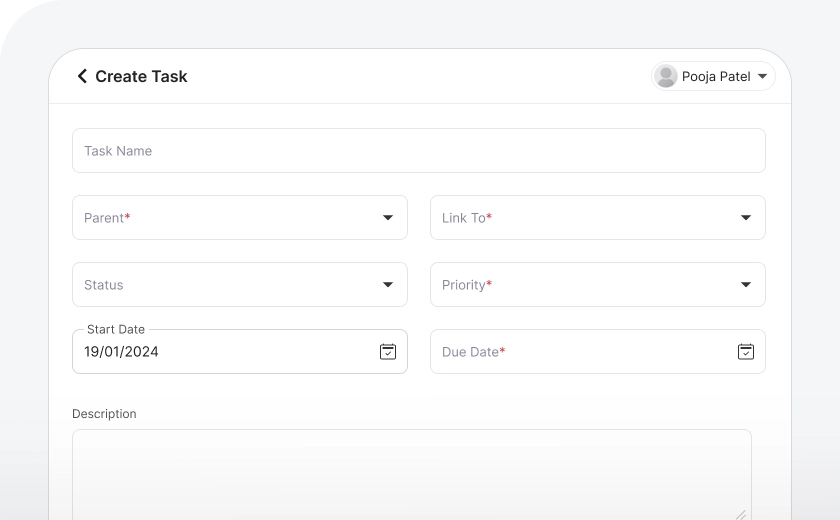
Create and assign tasks to employees directly related to each opportunity, while working on an opportunity. All tasks will be saved in the opportunity section, which will help in considering previous work history and decide future actions.
Upload Documents
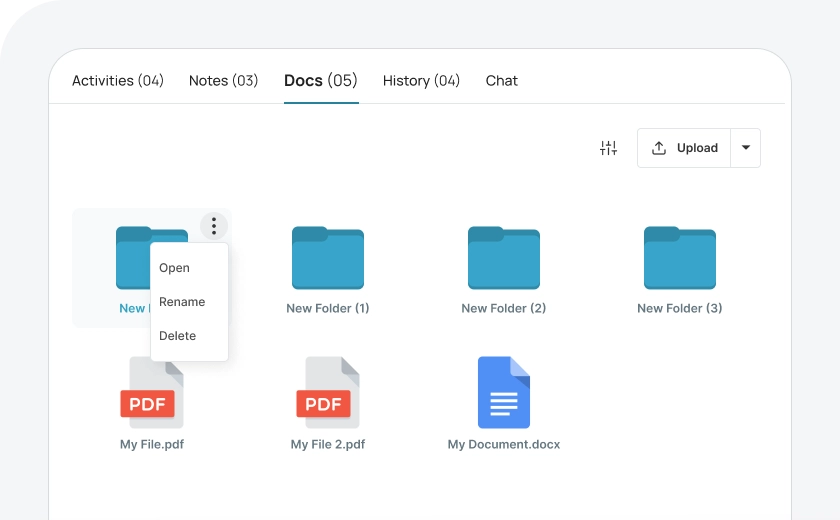
All documents related to an opportunity, like catalogs or KYC forms, can be stored in one place. This makes it easy to access everything you need without searching at different folders and locations, keeping things simple and organized.
Views Of Opportunity
List View
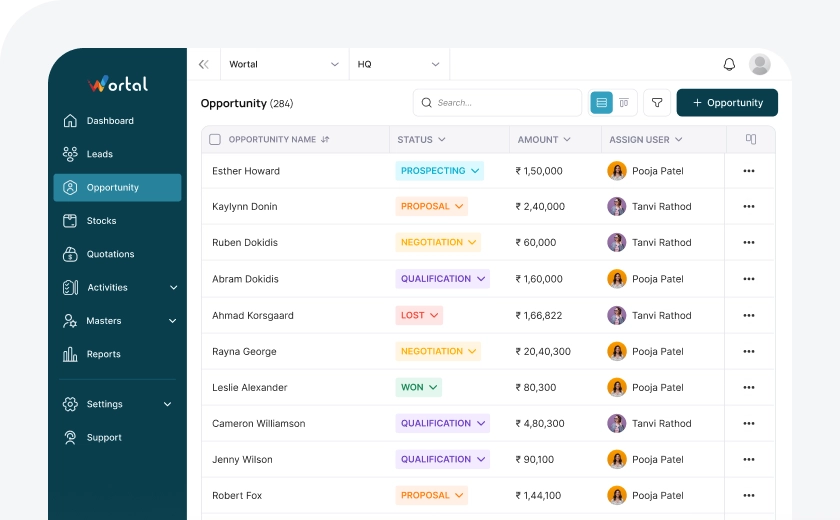
You can view all your leads on one panel in a list format, where each lead is shown in rows. This makes it easy to see and manage leads, with different columns (or "heads") showing key information like name, status, and contact details.
Kanban View
In Kanban view, you can easily manage leads by dragging and dropping them between different statuses. This lets you see all your leads on one board, making it simple to track progress and stay organized.
Quick View
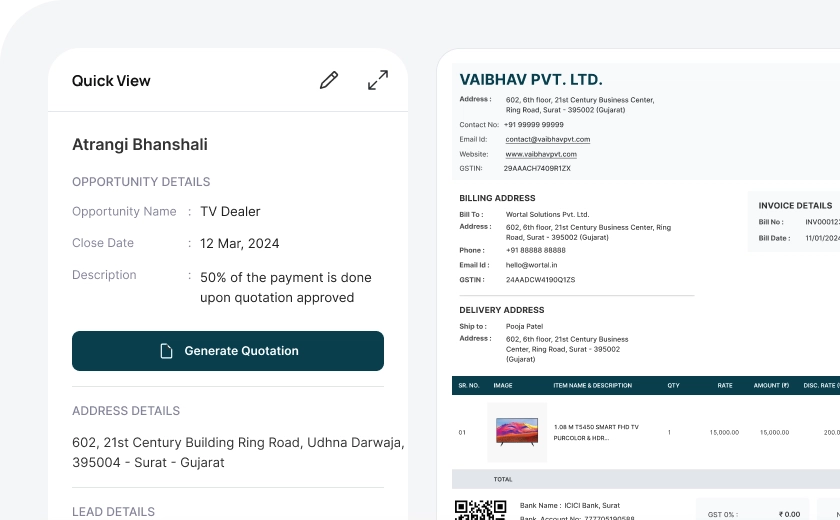
With the quick view option, you can instantly see required lead details like the lead name, status, requirements, and contact information. This allows you to quickly check the lead and move forward with the next steps.
Detailed View
With Wortal, you can access detailed lead information, edit lead details, and record all communications. You can also change the lead status and assign leads to other team members as and when required.
Quotation in One Click
Once an opportunity is created and the desired product is selected, you can generate a quotation with a single click. The quotation will be automatically saved within the opportunity section for easy access and tracking.
Frequently Asked Questions
Everything you need to know about the Wortal CRM.
What is Opportunity Tracking?
Opportunity tracking is the process of monitoring potential sales deals as they progress through the sales pipeline. It allows sales teams to track each opportunity’s stage, value, and likelihood of closing. By keeping an eye on each opportunity, businesses can prioritize high-potential deals and allocate resources more effectively. This process helps ensure that no sales opportunity is overlooked or lost.
Why is Opportunity Nurturing important?
Opportunity nurturing helps build stronger relationships with potential clients by addressing their needs and concerns throughout the sales journey. It involves sending relevant content, follow-ups, and personalized communication to keep the opportunity engaged. Nurturing increases trust and keeps the business top-of-mind, improving the chances of converting the opportunity into a closed deal. A well-nurtured opportunity is more likely to lead to a successful sale.
How does Opportunity Tracking work in a CRM system?
A CRM system tracks opportunities by capturing details like stage, value, contact information, and next steps for each deal. It provides a visual pipeline, showing where each opportunity stands and helping sales teams plan their next moves. Automated reminders, notes, and tasks make it easy to keep up with follow-ups and ensure that no opportunity stalls. This organized approach streamlines the sales process and improves deal closure rates.
What are the benefits of nurturing opportunities?
Nurturing opportunities helps build rapport, educate prospects, and keep them interested in your products or services. By providing value at every stage, you increase trust and make prospects feel more confident in choosing your business. It also shortens the sales cycle by addressing concerns early on. In the long run, nurturing can improve conversion rates and customer satisfaction.
How can I effectively nurture opportunities?
Effective nurturing involves sending personalized content, staying in touch regularly, and following up after key interactions. Segmenting opportunities by their stage or needs allows for more targeted communication, making nurturing efforts more relevant. Automated emails, product updates, and case studies can help keep the opportunity engaged. Listening to the prospect’s concerns and responding promptly also plays a crucial role in nurturing.
How do I know when an opportunity is ready to close?
An opportunity is usually ready to close when they show strong engagement, like asking detailed questions or requesting a proposal. Other signs include regular communication, interest in pricing, and positive responses to product demos or meetings. CRM systems often have lead-scoring features that can indicate when an opportunity is highly likely to convert. Recognizing these signals enables the sales team to focus efforts on closing the deal.
Can a CRM help with opportunity tracking and nurturing?
Yes, a CRM can greatly enhance opportunity tracking and nurturing by centralizing all deal-related information and automating follow-ups. CRM tools help track each stage of the sales process, manage tasks, and ensure timely communication with opportunities. Automation features allow for scheduled emails and reminders, so nurturing efforts continue smoothly. This systemized approach saves time and increases the likelihood of successful conversions.