Manage Property
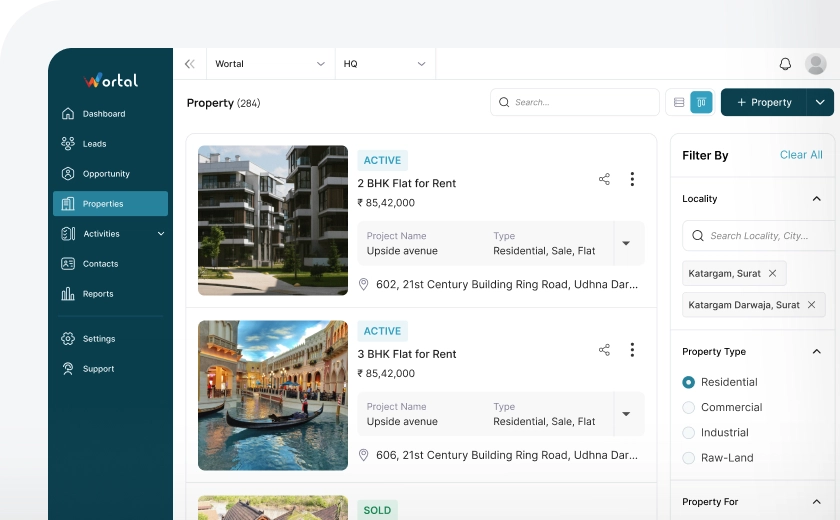
Our platform allows you to list and manage properties with ease, whether for sale, rent, or lease. You can access detailed information on vacant properties, ensuring you have all the necessary details to make informed decisions. Additionally, we provide the ability to upload and store high-quality images of the properties, helping to visually showcase the space and attract potential buyers or tenants.
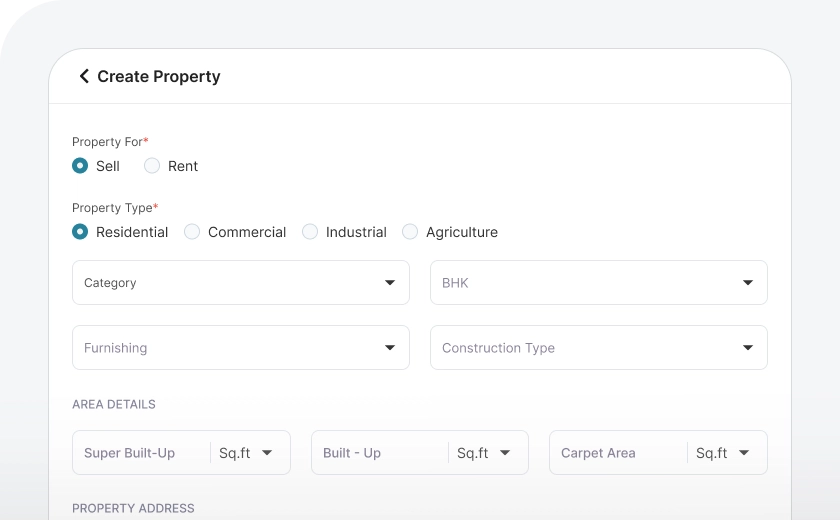
Create Property
To create a new property listing, simply click the "Create New" button on our platform. This will prompt you to fill in the necessary details about the property, including key information such as property type, size, and location. Owner information, including contact details and ownership status, must also be included.
Detailed Categorisation
Our platform allows you to easily categorize properties based on your specific needs, whether you're looking to buy or sell. Properties are organized into key categories, such as residential, commercial, raw land, and industrial, ensuring that you can quickly find or list the right type of property. Each main category is further broken down into subcategories, such as apartments, houses, office spaces, retail stores, or warehouses, helping to narrow down your search or listing options.
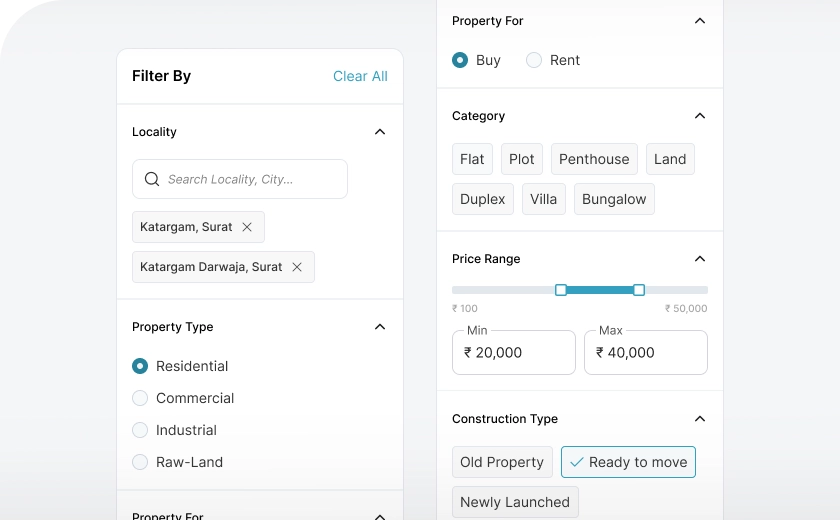
Filters to suggest
Our platform offers advanced filtering options to help you find the best-suited property based on your specific requirements. By applying a variety of filters, you can narrow down the available options to match your preferences precisely. Filters include locality, property type, such as residential, commercial, or industrial; property for, whether you're looking to buy, sell, rent, or lease; price range, construction type, such as new builds or pre-owned; and furnishing.
Track Due Dates
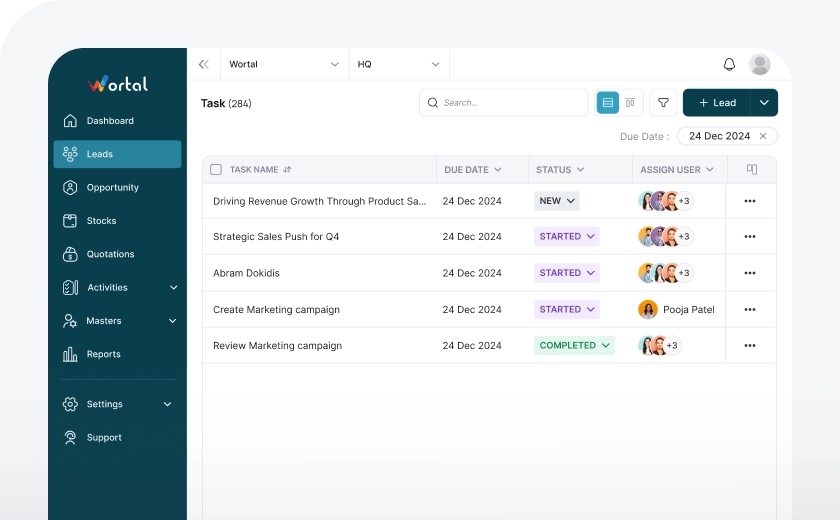
You can easily set follow-up dates, reminders, and due dates for tasks, helping you stay on top of deadlines. This feature allows you to track employee productivity by monitoring tasks and ensuring they are completed on time. You can follow up on the progress of tasks and regularly take updates from the user assigned to the subtask.

Views Of Property Listed
After listing properties, you can view them in two ways: List View, where properties are shown in a simple table with details like price and location, and Card View, where each property appears in a card with images and key information. Both views make it easy to search and compare properties based on your preference.
Frequently Asked Questions
Everything you need to know about the Wortal CRM.
What is the property listing feature in a CRM?
The property listing feature in a CRM helps real estate agents organize and manage property details in one system. It includes information such as photos, descriptions, prices, and availability. This centralization makes it easy to find and share property data with clients. It simplifies property management and client communication.
How does a property listing feature help agents?
A property listing feature helps agents keep track of available properties and provides quick access to details. This speeds up the process of finding and presenting relevant listings to clients. It saves time and enhances service efficiency. Agents can work more productively with all information in one place.
Can I update property information in the CRM easily?
Yes, most CRMs allow you to update property details like price, status, and images instantly. This ensures that listings are always current when shared with clients. It reduces the risk of errors and outdated information. Clients get accurate data, which builds trust.
How does property listing in a CRM improve client interactions?
Is the property listing feature secure in a CRM?
Yes, CRMs have security measures like access controls and encryption to protect property and client data. Only authorized users can access or modify listings. This ensures that sensitive information remains private. It safeguards both the business and client trust.
Can I categorize properties in the CRM?
Yes, most CRMs allow you to categorize properties by type, location, price, or other filters. This makes it simple to find and present options that meet a client’s specific needs. Categorization improves search efficiency. It helps agents manage listings effectively.
How does a property listing feature support teamwork?
Centralized property listings allow team members to access and update the same information, which improves coordination. Agents can share notes and updates, making collaboration smooth and efficient. This reduces communication gaps and boosts productivity. The team can provide consistent information to clients.