Calling App
Make your call handling easy with Wortal Calling App. Telecallers CRM, instant follow-ups, and easy note-taking. New leads are added automatically, and each call comes with a quick summary to keep everything organized and efficient.
Linked with CRM
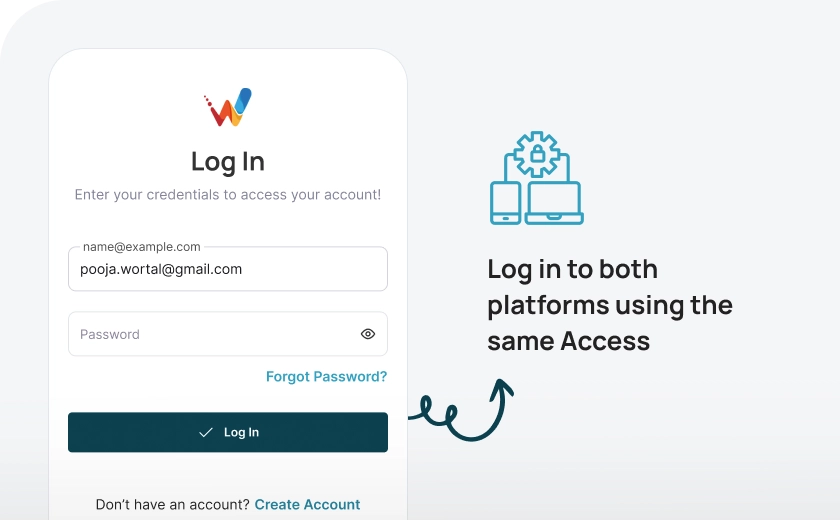
The Wortal Calling app is connected to the Wortal CRM, so you can log in to both platforms using the same username and password. Any notes or descriptions you make in the Calling app will automatically sync to the Wortal CRM, ensuring all your information is up-to-date across both tools.
Create Lead with calling app
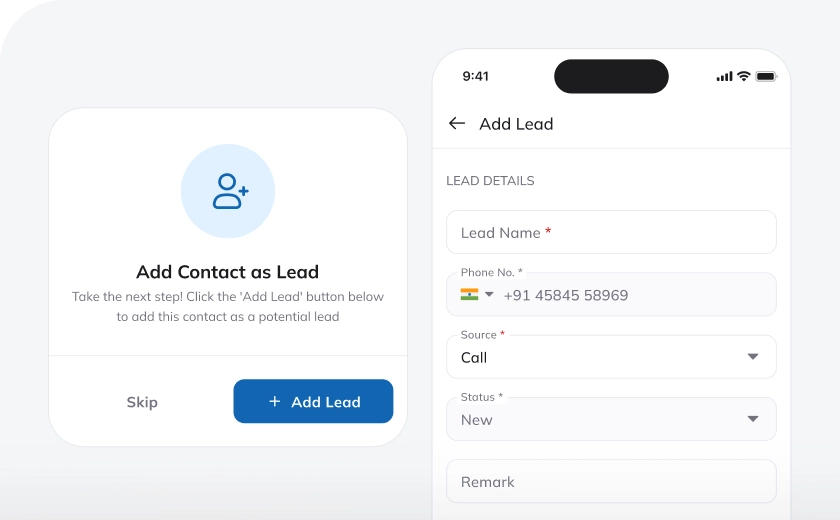
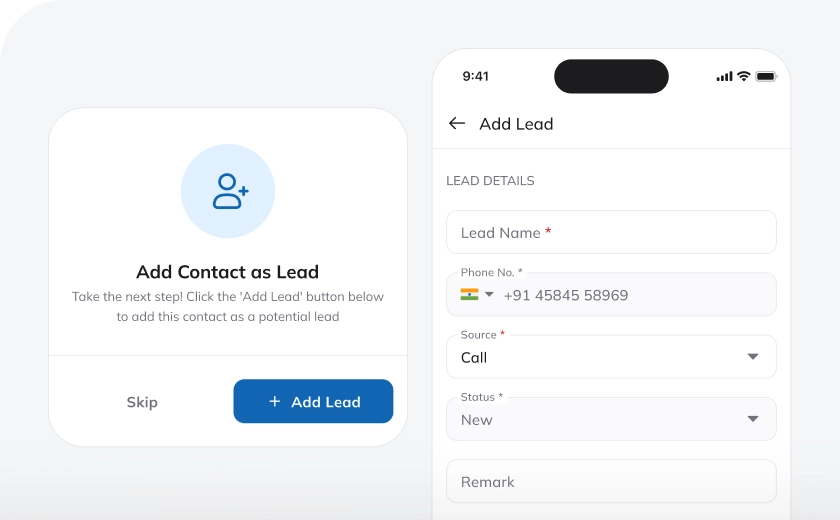
Once the Wortal Calling app is installed and you're logged in, you'll receive a pop-up prompt every time you receive or make a call. This pop-up allows you to easily create a lead directly in the CRM without having to switch to the CRM platform. It’s a quick and convenient way to capture leads while you’re on the phone, making the process smoother and more efficient.
Write Notes for Call
The way you can create leads from calling app, you'll receive a pop-up prompt every time you receive or make a call to write down the description of the conversation happened on the call. This will give you an overview of the conversation thread with the customer.
Set Follow-ups
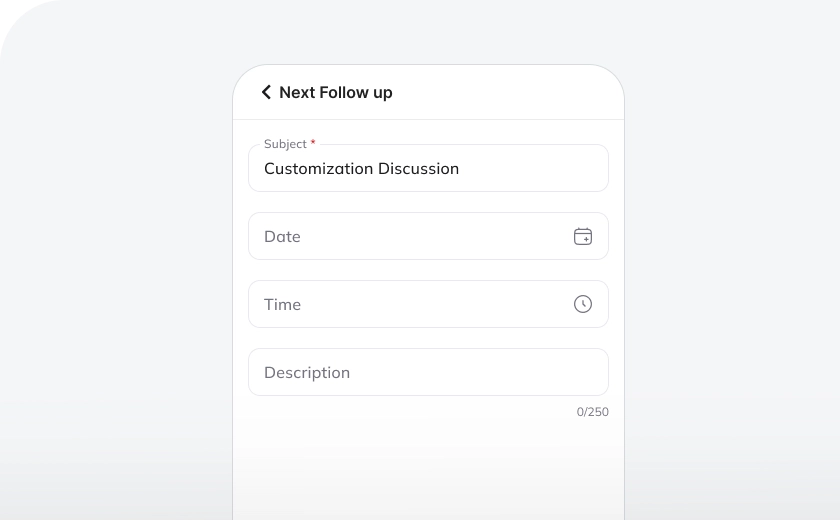
After every incoming or outgoing call, you can note down the call briefing directly in the Wortal Calling app. Based on these notes, you can set follow-up dates and even schedule reminders, ensuring you never miss an important task or follow-up.
Get Call Summary
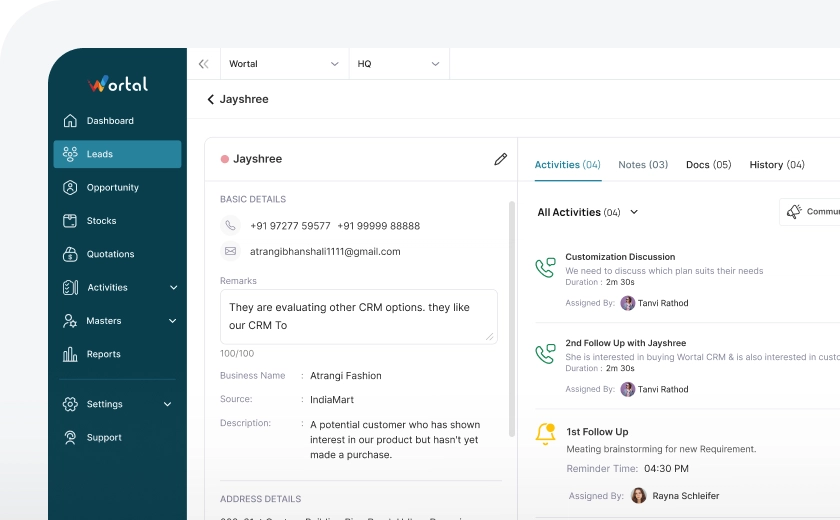
Once you’ve noted the call description in the Wortal Calling app after finishing a call, the details—such as the call time, call duration, and the description—will automatically appear in the respective lead account within the Wortal CRM. This feature provides a clear and complete history of interactions without any additional data entry.
Contact Access
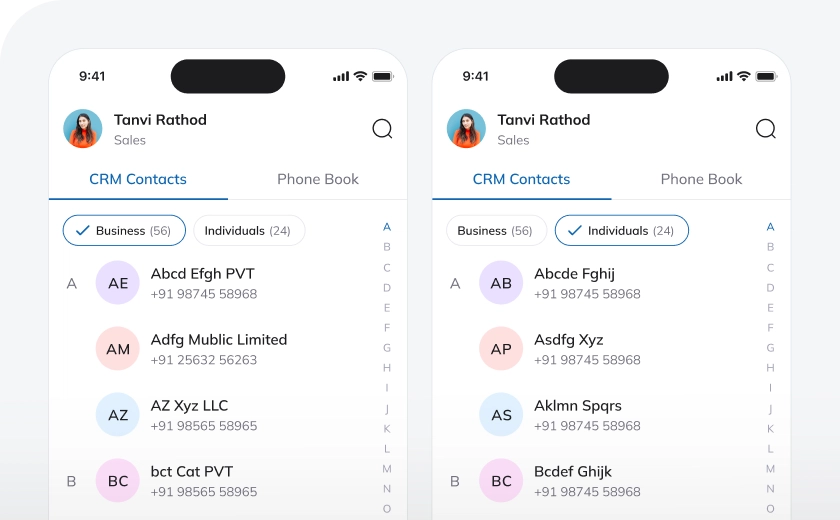
With the Wortal Calling app, you can access all your contacts from the CRM as well as your mobile contacts, all in one place. This means you don’t have to switch between different platforms to find the contact you need. Whether it’s a lead from the CRM or a contact saved on your phone, everything is easily available within the calling app, making it more efficient to manage and reach out to your contacts.

Frequently Asked Questions
Everything you need to know about the Wortal CRM.
What is a Calling App in Real Estate CRM?
A Calling App in Real Estate CRM allows agents to make calls directly from the CRM platform. It integrates phone functionality with the CRM, streamlining client communication. Calls are logged automatically, and call history is saved, helping agents keep track of conversations. This feature ensures that all interactions are organized and accessible within the CRM.
How does a Calling App in Real Estate CRM help agents?
The Calling App helps real estate agents communicate with clients more efficiently by enabling them to make calls without leaving the CRM system. It allows agents to quickly follow up with leads, schedule viewings, and discuss property details. The app also records call notes and interactions, making it easier to manage client relationships. This saves time and improves productivity.
Can I make calls to clients and leads from anywhere with the Calling App?
Yes, the Calling App in Real Estate CRM enables agents to make calls from anywhere, whether in the office or on the go. This is especially useful for remote teams or agents working from different locations. It provides flexibility and ensures agents can always stay connected with their clients. Calls are still tracked and logged in the CRM.
How does the Calling App improve lead management?
Does the Calling App support voicemail and text messages?
Yes, many Calling Apps in Real Estate CRM also support voicemail and text messaging features. This allows agents to leave voicemails for clients when they are unavailable and send quick follow-up messages via text. These additional communication options ensure that agents can maintain contact with clients in various ways. It increases the chances of reaching clients and building stronger relationships.
How does the Calling App help with customer service?
The Calling App enhances customer service by giving agents easy access to all client information during calls. This allows agents to provide personalized and informed responses, improving the client experience. The app helps agents resolve inquiries or issues quickly and efficiently. Better communication leads to higher customer satisfaction and loyalty.
Can I track call performance with the Calling App in Real Estate CRM?
Yes, most Real Estate CRM systems with a Calling App feature provide analytics to track call performance. Agents and managers can see metrics like the number of calls made, duration, and outcome. This data helps identify areas for improvement and optimize communication strategies. Tracking call performance ensures more effective lead conversion and client retention.