Centralized Contact Management
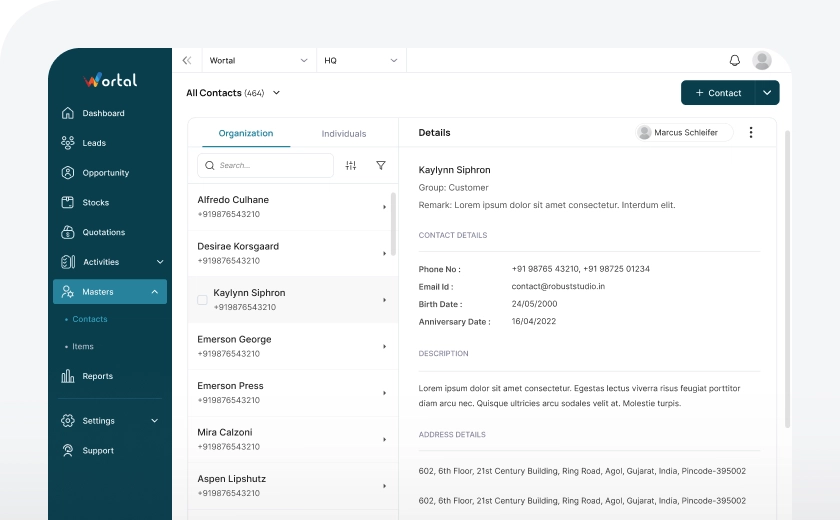
Maintain contacts of all the customers, leads, clients, vendors etc at one place under different contact groups with Wortal sales CRM software . Get easy access to contact details as and when needed without surfing various locations. Uniform system of recording contact details leads to accuracy and eliminates duplicates. Centralization enhances data security, as you can implement access controls and permissions to protect sensitive contact information.
Types of Contacts
Organisation
You can store an organization’s contact details, including name, phone number, email, and address. Additionally, you can save the contact information of multiple representatives who will handle communications on the organization’s behalf.
Individual
You can store an individual’s contact details, including their name, phone number, email, address, and shipping address. Additionally, you can save multiple addresses, including multiple shipping addresses, for greater flexibility.
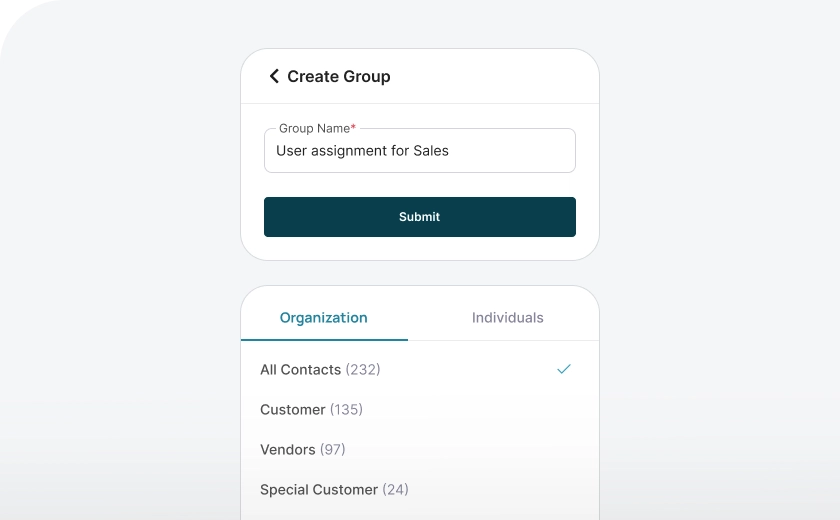
Create Groups
With contacts divided into two types—Organization*and Individual—we’ve made management even simpler by organizing contacts into different groups. Each type includes default groups, and you can also create custom groups to suit your specific needs.
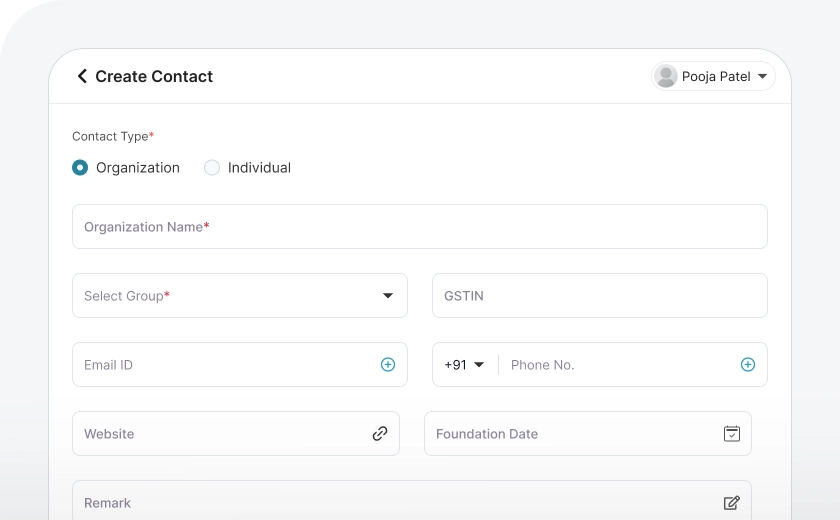
Create Contacts
You can add contacts in two ways: 1. Manually: Click on "Create New," fill in the required fields, and save the details. 2. Automatically: When converting a lead to an opportunity or creating an opportunity directly, the details will automatically be saved as a client contact.
Attachments
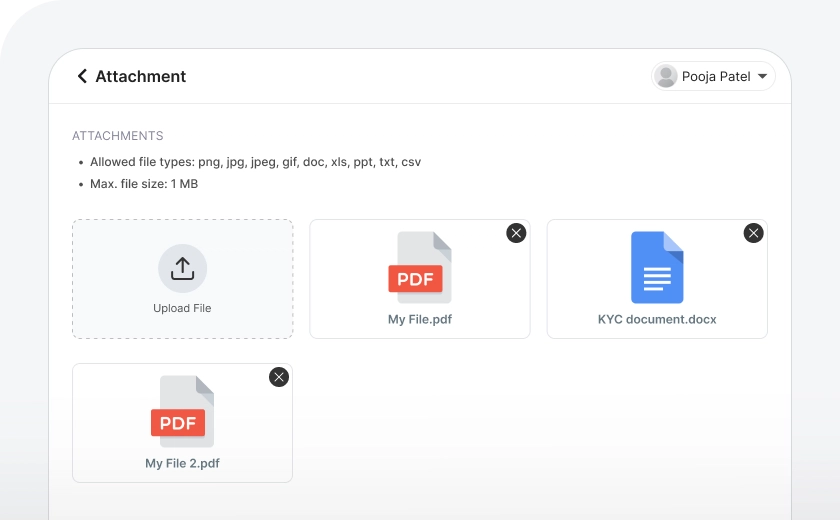
Store all KYC documents and other relevant files—such as resumes, specific requirements, images, and more—directly within each contact's folder by attaching them to the contact details. This keeps all documents related to a contact organized in one place.
Easy Customisation
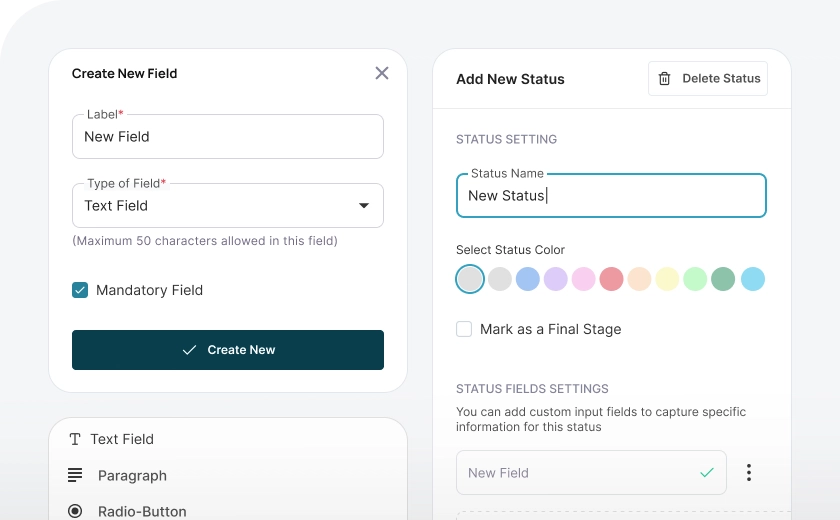
You can create custom input fields in the contact creation forms to capture additional information as per specific requirements. These fields can be in any format, allowing you to tailor the contact details to suit your unique needs and ensure all relevant data is captured efficiently.
Frequently Asked Questions
Everything you need to know about the Wortal CRM.
What is Centralized Contact Management in Real Estate CRM?
Centralized Contact Management is the process of organizing and storing all client and lead information in one place within the CRM system. It allows real estate agents to access detailed contact profiles, including personal information, preferences, property interests, and communication history. This ensures all team members have up-to-date and accurate information. It streamlines client management and improves collaboration across teams.
How does Centralized Contact Management benefit real estate agents?
It helps real estate agents stay organized and efficient by providing easy access to all client and lead details. Agents can quickly find information, track interactions, and follow up with prospects. Centralized contact management eliminates the need for scattered notes or multiple systems. It boosts productivity and helps agents provide a personalized experience to clients.
Can I add and manage contacts across multiple locations in a Real Estate CRM?
Yes, most real estate CRMs with centralized contact management allow you to add and manage contacts from multiple locations. This is especially useful for agents with multiple offices or teams working in different areas. It keeps all contact information in one system, making it easier to manage leads, track communications, and follow up. This centralization improves coordination and reduces the risk of data loss.
How does Centralized Contact Management improve communication with clients?
By storing all client interactions in one place, agents can quickly review past conversations and tailor their communication. This ensures that clients receive timely and relevant updates, whether it’s about new properties or follow-ups on inquiries. Centralized contact management provides a complete picture of each client’s needs. It improves relationships and increases the likelihood of conversions.
Can I track interactions with clients and leads in the CRM?
Yes, Centralized Contact Management allows you to track all interactions with clients and leads. Every email, phone call, meeting, or property viewing can be logged in the system. This provides a comprehensive history of the relationship, which helps agents stay informed and provide better service. It ensures no important detail is overlooked.
Does Centralized Contact Management improve team collaboration?
Yes, it allows team members to access and update client information in real time. This ensures everyone is on the same page and reduces the risk of miscommunication. Agents can share notes, tasks, and follow-up reminders, improving collaboration. It helps maintain a seamless workflow across teams and departments.
How does Centralized Contact Management enhance lead management?
It streamlines lead management by organizing contacts in one place and tracking their progress. Agents can quickly see where each lead is in the sales pipeline and prioritize follow-ups accordingly. Centralized contact management ensures no lead is lost or neglected. It improves lead conversion by providing a more structured and efficient approach.