


With the pace of today’s business environment, spreadsheets and manual techniques to handle leads and customer interactions are no longer sufficient. A great sales CRM is the backbone of your sales processes, providing you with a clear picture of your prospects, customers, and deals.
Today, we will discuss Sales CRM (Customer Relationship Management) software. Selecting the correct CRM could make you feel worried, with numerous choices out there. This guide identifies the most important features to consider in sales CRM software. Use it as a checklist to make sure you select a solution that enhances your sales team and fuels growth.
The ideal sales CRM does more than simply store information; it gives you useful insights, automates time-consuming tasks, and enables your team to close deals quickly.
Key features to search for in CRM tools
So, what do you need to find in a CRM? Let’s discuss the key features that will uplift your sales performance, using sales software or CRM tools.
1. Lead Management: Nurturing Prospects from Beginning to End
Good lead management is important for a successful sales process. A good sales CRM enables you to capture, track, and nurture leads through their journey.
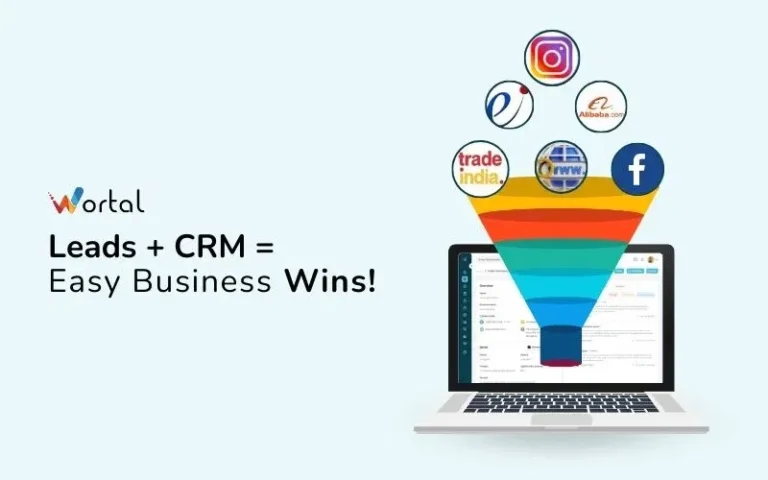
Lead Capture: Your CRM must integrate seamlessly with various lead sources, such as your website forms, email marketing, social media, and manual entries. This way, you won’t lose any potential customers. For instance, if a person completes a form on your website, the CRM must automatically save their details and create a new lead record.
Lead Scoring and Qualification: Not every lead is equal. A good CRM allows you to define criteria and automatically score leads based on engagement, demographics, and behaviour. This will allow your sales team to target the most promising potential customers. For example, a lead who has visited several product pages and downloaded a case study would get a higher score than one who merely completed a general inquiry form.
Lead Segmentation: Your understanding of leads is crucial for successful communication. Your CRM must assist you in segmenting leads based on attributes such as industry, company size, interest, or lead source. In doing so, you can personalise your messages for optimal effectiveness. For instance, you could segment leads into “enterprise clients,” “small businesses,” or “interested in product X” to serve specific email campaigns.
Lead Nurturing: Sales cycles are not always linear. Your CRM must facilitate easy lead nurturing through tracking interactions, follow-up scheduling, and automated personalised email sending. This keeps leads active and informed until they are ready to buy.
2. Contact and Account Management: Building Strong Relationships
A robust CRM enables you to manage your contacts and leads efficiently, facilitating long-term customer relationships.
Centralised Contact Database: Your CRM must give you a single, unified view of your entire contact base, including their data, communication history, and comments. This way, your team will have a holistic view of every relationship. Think of being able to quickly view all the emails, calls, and meetings you’ve done with a certain client.
Account Hierarchy and Management: In B2B selling, it is important to know the relationships within an organisation. The CRM must enable you to manage account hierarchies, associate contacts with their companies, and monitor all interactions at the account level. This enables you to determine key decision-makers and understand the overall organisational context.
Communication Tracking: Every interaction with a contact or account should be recorded in the CRM, whether it’s an email, phone call, meeting, or social media interaction. This provides valuable context and promotes seamless communication within your team. No more sifting through endless emails to recall a previous conversation!
Activity Management: Being organised is key to sales success. Your CRM must allow you to schedule and monitor tasks, appointments, and follow-ups so nothing slips through the cracks. You must have the ability to set reminders for critical deadlines and see upcoming activities at a glance.
3. Sales Pipeline Management: Seeing Your Deals
It is critical for revenue forecasting and spotting bottlenecks that you have visibility into your sales pipeline.
Visual Sales Pipeline – The CRM must have a visual sales pipeline which displays various stages of your sales process (for example,
3. Sales Pipeline Management: Visualising Your Deals
Getting a clear vision of your sales pipeline is critical to forecasting revenue and identifying any potential issues.
Visual Sales Pipeline: Your CRM must show a visual representation of your sales pipeline, with each step of your sales process marked, such as Qualification, Proposal, Negotiation, and Closed Won/Lost.
Customisable Sales Stages: Every company has a unique sales process. The ideal sales CRM allows you to customise the stages in your pipeline to fit your workflow. You should be able to define the criteria for advancing a deal from one stage to the next.
Deal Tracking: The CRM must allow you to track key information for every deal, including deal value, close date, probability of closing, and assigned salesperson. This assists in forecasting and performance management.
Drag-and-Drop Functionality: You ought to be able to transfer deals from one stage to another in the pipeline by simply dragging and dropping. This simplifies pipeline management for you, making it easier and time-saving, as well as keeping salespeople organised and on track.
4. Sales Automation: Saving Your Team’s Time
Sales automation has the ability to boost your team’s productivity significantly by automating routine tasks. This leaves your team with more time to cultivate relationships and secure sales.
Automated Workflows: Your CRM should enable you to create automated workflows for sales activities. For instance, you can automate follow-up emails after meetings, update lead statuses against activities, or allocate tasks to team members. Picture this: a workflow that sends a thank-you email with resources automatically upon a lead downloading a brochure.
Email Integration and Automation: You should make sure that your CRM integrates nicely with your email service. Your CRM should enable you to send emails and track emails within the system. It would be great if it also automatically sent personalised sequences of emails depending on triggers and lead activity.
Task Automation: Routine work can be automated to save your sales team time. As an example, you might have follow-up reminders or advance deal stages by specified criteria.
Meeting Scheduling: Integrated meeting scheduling features are available in some advanced CRMs. Prospects can then schedule appointments on your team’s calendar, reducing the email tag back and forth.
5. Reporting and Analytics: Getting Useful Insights
Data is important. A quality CRM should have strong reporting and analysis capabilities to enable you to see your sales performance and identify areas where you could grow.
Sales Performance Reports: You must have the ability to generate reports on important measures such as sales revenue, conversion rates, average deal size, and length of the sales cycle. This provides a clear picture of the performance of your team.
Pipeline Analysis: Reports on your sales pipeline, such as the number of deals at each stage, total pipeline value, and average time spent at each stage, can be used to identify bottlenecks and forecast future revenue.
Lead Source Analysis: It is key to understanding which lead sources generate the best leads in order to optimise your marketing. Your CRM needs to report on lead source performance.
Customisable Dashboards: Tailoring dashboards to your teams and managers allows them to monitor the key metrics that are most important to them. Imagine a dashboard with individual sales targets, top lead sources, and overall revenue progress.
6. Integration Capabilities: Bringing Your Tools Together
Your CRM must integrate with other business tools like email marketing software, accounting software, customer support, and other sales tools.
Integration with Email Marketing: Integration with tools such as Mailchimp or HubSpot enables syncing of contact information, tracking of email interaction in the CRM, and targeted email campaigns using CRM data.
Accounting Software Integration: Applications such as QuickBooks or Xero can automate invoicing and payments by automatically passing sales information.
Customer Support Integration: By integrating your CRM with customer support software, such as Zendesk or Intercom, you get the end-to-end view of the customer journey and seamless handoffs between support and sales teams.
API Access: A robust API (Application Programming Interface) provides additional options for custom integration with other software, which provides you with flexibility.
Also read: CRM and Marketing Automation: A Winning Combination
7. Mobile Accessibility: Selling Anywhere
In today’s mobile era, sales professionals must have access to their CRM on the move.
Mobile App: The top sales CRM has an easy-to-use mobile app. With this feature, your team can view and update lead data, track deals, schedule activities, and log calls using their smartphones or tablets.
Offline Accessibility: Access to CRM data offline is important for salespeople who do not always have constant internet. Any updates made offline should become updated when the internet connection becomes available.
8. Ease of Use and Routing: Adoption is Everything
Your CRM must be simple for your sales team to utilise. If they do not adopt and use it on a daily basis, even the greatest features will not benefit you.
Intuitive Interface: The CRM must be simple in its design, and easy to understand. A difficult system may cause frustration among users and decrease the adoption rate.
Customisation Options: Even though it has to be simple to use, the CRM must also allow you to customise it to meet your sales process and requirements.
Training and Support: Your CRM vendor should provide useful training materials and responsive customer support to help your team get started and resolve any issues.
9. Scalability: Growing with Your Business
Your CRM should expand to accommodate your business needs.
Flexible Pricing Plans: Find a CRM that offers flexible pricing tiers to accommodate your expanding team and evolving needs.
Feature Enhancement: The vendor must regularly introduce new features to keep the platform current and competitive.
10. Security and Reliability: Keeping Your Data Safe
Your CRM will contain sensitive customer and sales information, so security and reliability are essential.
Data Encryption: Ensure that the CRM has good data encryption to keep your data secure from unauthorised access.
Regular Backups: The vendor must have a good backup system to avoid loss of data.
Compliance: Ensure the CRM complies with your industry’s special requirements.
The Right Choice: Your CRM Checklist
Selecting the correct sales CRM matters. Review the features outlined below and use this extensive checklist to make the right choice. This will aid your salespeople, enhance your processes, and enable your expansion. Evaluate your needs and choose software that suits your business objectives and budget.
Investing in a good CRM is investing in your future success. It’s not about handling leads; it’s about developing good customer relationships and achieving your sales goals. We hope this guide helps you choose the best CRM for your organisation.
What are the most important features for your sales team? Let us know in the comments below! Also, don’t forget to sign up for Wortal CRM and book a free demo to get started with your CRM journey.