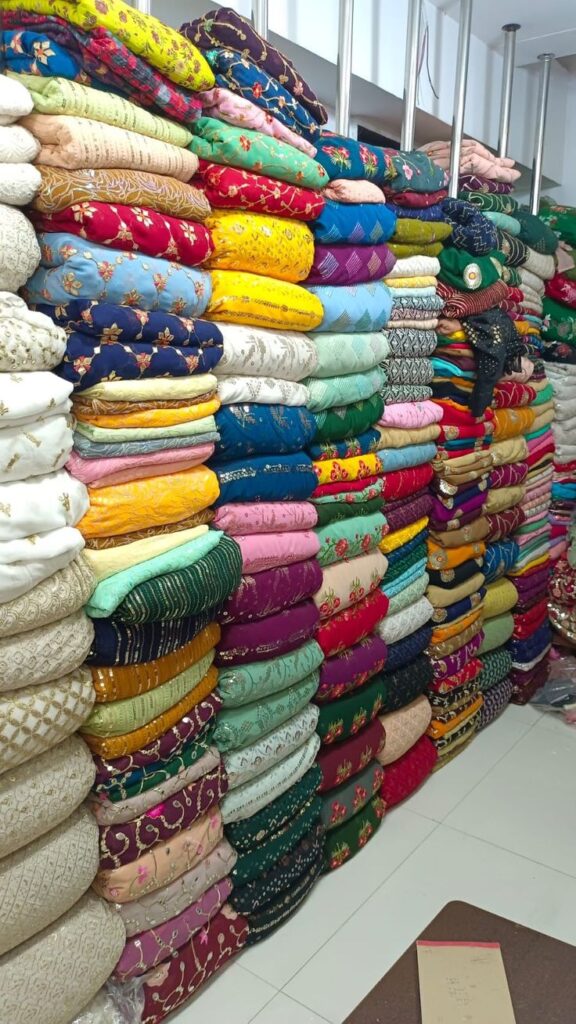

Walk into most fabric warehouses and you’ll find the same scene – rolls stacked high, a notebook near the entrance, and someone squinting at two shades trying to figure out which lot they belong to. It’s a familiar mess. And it costs money every single time.
Fabric isn’t like standard inventory. You can’t just track metres in and metres out and call it done. Two rolls of the same fabric code can look nearly identical but come from completely different dye batches. Once they’re stitched together into a finished garment, the shade difference becomes obvious – and by then, the damage is already done.
If you’re serious about running a tight operation, you need to track fabric stock by shade, lot, and quality at every stage. This guide walks through exactly how to do that.
Why Shade, Lot, and Quality Are Three Separate Things
Most businesses that struggle with fabric tracking are treating these as the same problem. They’re not.
Shade refers to the colour identity – the specific dye recipe used. Even within the same colour family, shade variations exist. SH-041-Slate and SH-042-Slate might look the same under warehouse lighting but read differently under daylight or in finished goods.
Lot is the production batch. One mill can produce the same shade across ten different lots over six months. Each lot carries its own dye density, shrinkage rate, and finish. Buyers who care about consistency – and the serious ones always do – will specify lot numbers in their purchase orders.
Quality is the grade assigned after inspection. A single consignment can have A-grade rolls, B-grade rolls, and salvageable seconds – all under the same item code. If your textile inventory tracking system doesn’t separate these, you’ll end up dispatching B-grade fabric against a premium order. It happens more often than people admit.
The moment you start tracking all three separately, your stock visibility changes completely.
Book a Free Demo
See how Wortal can simplify your business and help you close more deals.


Where Businesses Go Wrong With Fabric Stock Tracking
The real issue isn’t technology – it’s timing.
Most fabric stock tracking happens at the wrong point. Rolls get received, stacked, and logged by item code alone. Shade codes get written on sticky notes. Lot numbers sit on the mill’s delivery challan, which gets filed away and forgotten. Quality grading happens informally, if at all.
By the time an order comes in for a specific shade and quality, nobody actually knows what’s available without physically checking the warehouse.
A fabric trader in Surat was dealing with this exact problem. They were handling fabric from four different suppliers, each sending multiple lots of overlapping shades. Orders were going out with mixed lots because the team couldn’t tell them apart quickly. Once they started tagging each roll at receipt – shade code, lot number, quality grade – and entering all three into their fabric stock tracking software, dispatch errors dropped sharply. The fix wasn’t expensive. It just required doing the entry right the first time.
How to Set Up Shade, Lot & Quality Tracking
Step 1 – Build Your Classification System First
Before any software can help, define your framework:
- Shade codes: Assign a unique internal code to every shade variant. Don’t rely on supplier names – they change. Your code stays consistent.
- Lot numbers: Use the mill’s lot number directly. Don’t create your own unless you’re processing fabric in-house.
- Quality grades: Keep it simple – A (first quality), B (second quality), C (defective or seconds). Add sub-grades only if your product line demands it.
These three attributes go on every physical roll label and every system entry. No exceptions.
Step 2 – Tag at Receipt, Not Later
This is where most fabric quality tracking software fails to deliver results – not because the software is wrong, but because data entry gets delayed. By the time someone logs the receipt, details are missing or guessed.
Train your team to scan or enter shade, lot, and quality at the moment the consignment arrives. Every roll gets labelled before it goes to the shelf. That label carries a barcode or QR code tied to the system entry.
Step 3 – Separate Lots Physically in Storage
Same shade, different lot – different bay. This sounds obvious but it rarely happens in practice. When space is tight, rolls get stacked wherever there’s room. Two lots of the same shade end up side by side, labels facing inward, and within a week nobody can tell them apart.
A dedicated spot per lot isn’t luxury storage planning – it’s basic quality control.
Step 4 – Issue by Shade, Lot, and Quality Specifically
When fabric goes to production, the issue record should specify all three. Your textile inventory tracking system should deduct from the correct shade-lot-quality combination – not just the item code.
Most people ignore this part. They track total metres and assume the lot detail will sort itself out downstream. It won’t. Production teams mix lots mid-job, and by the time the buyer flags a shade mismatch, tracing it back is nearly impossible.
Step 5 – Handle Returns Properly
Fabric coming back from production needs to be re-entered with its original shade, lot, and quality details. If the condition has changed, update the quality grade accordingly. A roll that went out as A-grade and came back with handling damage should re-enter as B-grade – not silently go back into the A-grade pile.
Using Fabric Stock Tracking Software the Right Way
A textile inventory tracking system is only as good as the data going into it. But when the data is clean, the output is genuinely useful – shade-wise stock reports, lot-wise balance sheets, quality-grade-wise availability across branches, reorder alerts tied to specific shades.
Wortal’s inventory management module is built for exactly this kind of multi-attribute tracking. Businesses managing dozens of shades across multiple lots and quality grades can map each combination as a separate stock entry, track real-time movement across locations, and pull reports by any attribute – shade, lot, quality, or all three together. For textile traders or apparel manufacturers handling high SKU counts, that kind of granular visibility is what separates controlled operations from chaotic ones.
The point isn’t to make things complicated. It’s to stop relying on one person’s memory to know what’s actually in stock.
Quick Takeaways
- Tag shade, lot, and quality at receipt – never catch up later
- Physically separate different lots, even within the same shade
- Issue fabric to production by specific lot and quality, not just item code
- Return fabric to the correct shade-lot-quality entry with updated grading if needed
- Run shade-wise and lot-wise reports regularly – item-wise totals hide real problems
Frequently Asked Questions About Fabric Stock Tracking
Find practical answers about tracking fabric stock by shade, lot, quality, branches, remnants and barcode labels.