

Quotation Management Software Professional Quotes in Seconds
Create branded quotations with product details, pricing, taxes & terms. Send via WhatsApp or email. Track which quotes were opened, accepted or rejected
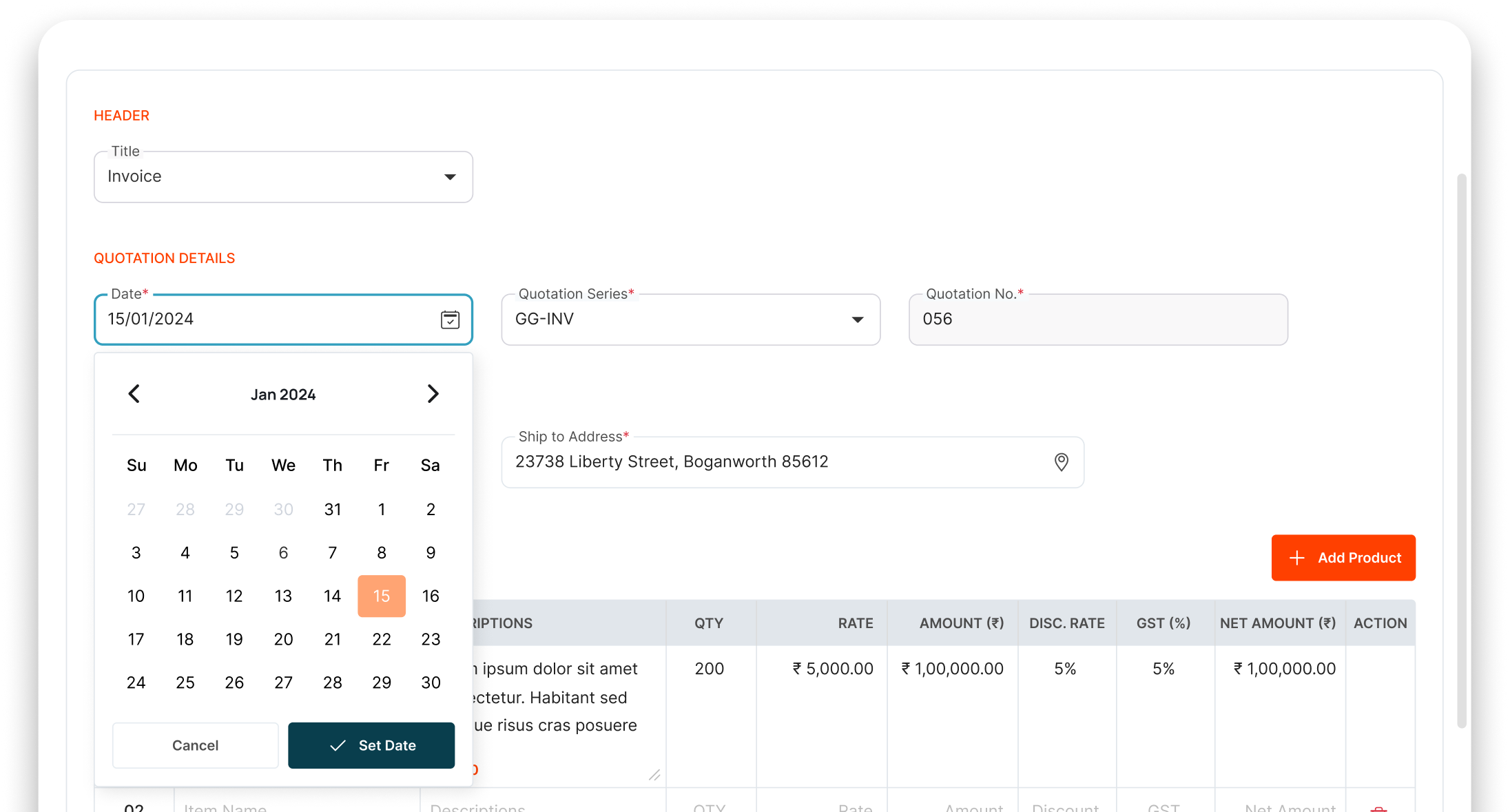
30 minutes per quotation while competitors send theirs in 30 seconds
And every missed deadline costs you a buyer

Slow quotes lose deals. Fast quotes win.
Open Word, type product details, calculate taxes, format, convert to PDF, email. 30 minutes gone. Buyer already got 3 faster quotes

Tax & pricing errors
Manual calculation means wrong tax amounts, wrong discounts, wrong totals. Embarrassing when buyer points it out

No tracking after sending
You sent the quote 5 days ago. Did buyer open it? Read it? Compare it? You have zero visibility. Follow-up timing is a guess

Unprofessional format
Every team member makes quotes differently. No branding, no consistency. Some in Word, some in Excel. Doesn't inspire confidence
Create and Send Professional QUOTATIONS IN MINUTES
Select Products
Pick products from your catalog prices, descriptions & images auto-fill
Customize Quote
Adjust quantities, discounts, taxes & add terms. Auto-calculation handles math
Send in One Click
Share via WhatsApp or email professional branded PDF delivered instantly
Track Response
See if buyer opened the quote, when, how many times follow up at the right moment
Everything You Need to Create WINNING QUOTATIONS
From product selection to customer approval, manage the entire quotation lifecycle from a single platform.
One-Click Quote Generation
Pick products from catalog, quantities auto-calculate quote ready in seconds
Pre-Loaded Product Catalog
All your products with prices, images & descriptions pre-loaded. No retyping
Auto Tax & Discount Calculation
GST, discounts, additional charges all auto-calculated. Zero manual math
Branded Templates
Professional templates with your company logo, colors & terms. Impressive by default
WhatsApp & Email Delivery
One-click send via WhatsApp or email as branded PDF
Quote Tracking
See if buyer opened, viewed, or downloaded. Know exactly when to follow up
The Business Impact of FASTER QUOTATIONS
Speed up your sales cycle with faster quotations, better visibility, and smarter follow-ups
Quotes in Seconds, Not 30 Minutes
Pre-loaded products + auto-calculation = instant professional quotes

Professional Branded Look
Every quote looks polished your brand, your colors, your terms

Track Quote Status
Know when the buyer opened your quote. Follow up at the perfect moment

First to Quote = First to Win
Speed wins in B2B sales. Send quotes before competitors even open Word

Powering WORKFLOWS
Across Modules



Complementary Features You May Need
Create professional quotations, convert them into invoices, track deals, and share them instantly with customers via WhatsApp.

GST Billing
Convert accepted quotes to GST invoices

Lead Management
Send quotes to captured leads

Sales Pipeline
Track quoted deals in your pipeline

WhatsApp API
Share quotes instantly via WhatsApp
FAQ
In less than a minute. Instead of opening Word or Excel and typing everything from scratch, your reps select the client, pick the products from your digital catalog, and the system automatically fills in prices, taxes, and totals accurately.
Yes. You can upload your company logo, choose your brand colors, and add custom terms and conditions or banking details to the footer. Your quotes will look incredibly professional and consistent across your whole team.
No, you don’t have to double-type anything. The moment a client says “Yes” to a quotation, you can click a button to instantly convert that exact quote into an active sales order or a final invoice, saving your team tons of time.
Yes, Wortal handles quote versions cleanly. If a client negotiates and asks for a revised price, you can update the quote while maintaining a history of the original version. This prevents confusion over which price was finally agreed upon.
Yes! You can send a secure digital link to your customer via email or WhatsApp. They can open the quote on their phone, review the items, and click a digital “Approve” button on the spot, closing the deal faster for your team.
Real-Time Data. Smarter Decisions. Zero Excel
Free setup · No credit card · Cancel anytime
