

Tele Calling CRM Software Call, Track & Convert from One Screen
Built-in auto dialer with call recording, auto-logging, missed call alerts, follow-up reminders & team performance reports. No separate calling app needed
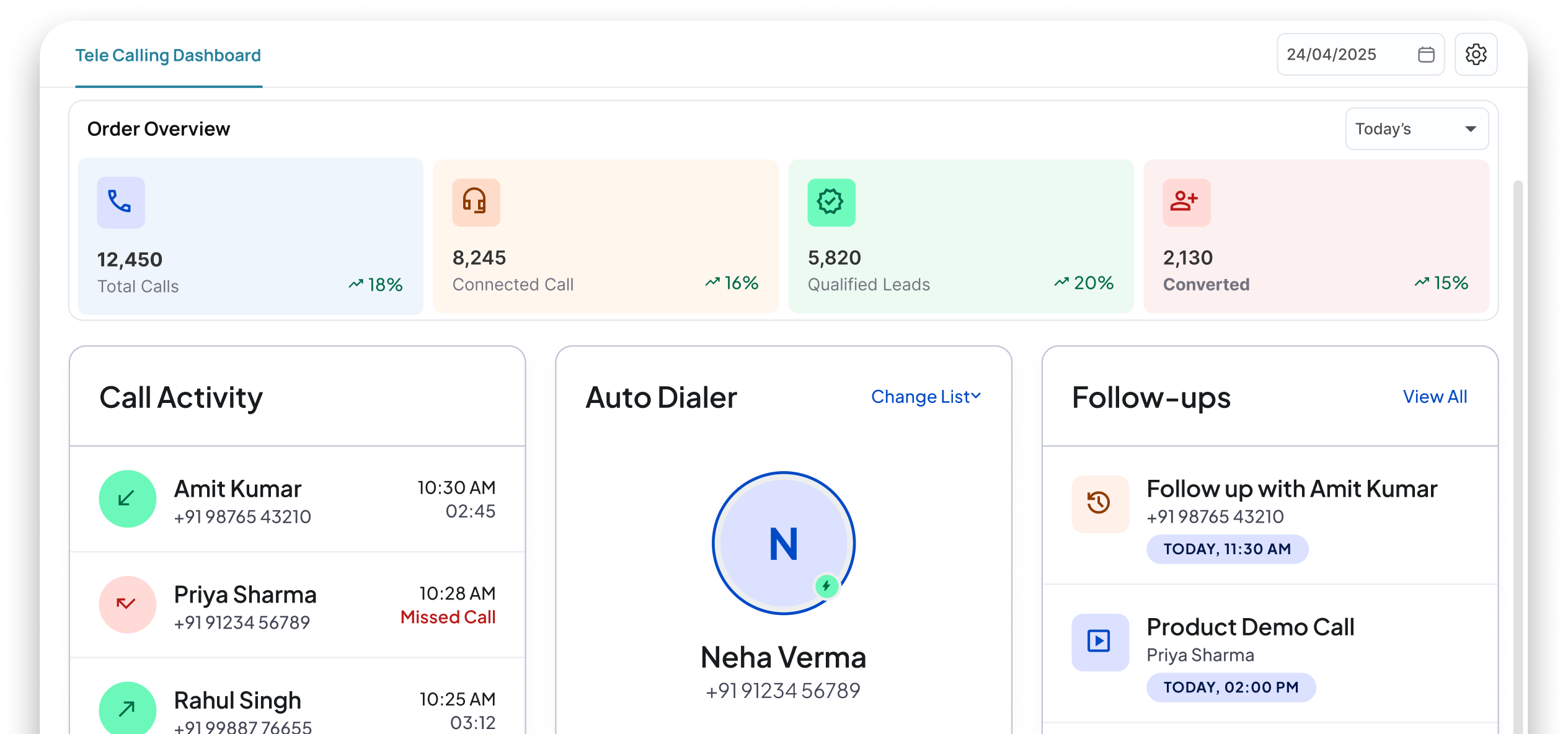
Your team makes 50 calls a day but nothing gets logged
No records, no accountability, no improvement


Calls made from personal phones
Sales calls happen on personal numbers. When a team member leaves, their entire call history and buyer relationships leave too

Zero call logging
Who called whom? What was discussed? Was a follow-up promised? Nobody knows — because nothing gets recorded

Manual dialing wastes hours
Your team types numbers one by one. 30% of their day is spent dialing, not talking. That's 2.5 hours wasted daily per person.

No team performance data
How many calls did each rep make? What's their conversion rate? You're managing blind — no data to coach or improve
The Complete Order-to-Delivery Process
Order Created
One click on any lead — call starts directly from CRM, no manual dialing
Call Auto-Logged
Call duration, time, recording & notes auto-saved against the lead
Set Follow-up
After call, set next action callback, meeting, quotation. Reminder auto-triggers
Track Performance
See how many calls each team member made, duration, conversions & outcomes
Everything Your Team Needs to Call, Track & Convert
Make calls, record conversations, track outcomes, and monitor team performance from a single CRM interface.
Built-in Auto Dialer
One-click calling directly from CRM no separate app, no manual dialing
Auto Call Logging
Every call auto-logged against the lead/contact with time, duration & recording
Call Recording & Playback
All calls recorded. Managers can listen, coach & review anytime
Missed Call Alerts & Callbacks
Instant alerts for missed calls with one-click callback option
Call Disposition & Notes
After every call, log outcome (interested, not interested, callback, etc.) with notes
Team Call Performance Reports
Calls made, call duration, conversions, average call time per team member
Results Your Team Will Notice IMMEDIATELY
Make more calls, reduce manual effort, and maintain complete visibility into every customer conversation.
3x More Calls Per Day
Auto dialer eliminates manual dialing your team talks more, types less

Zero Manual Call Logging
Every call auto-recorded and logged no end-of-day data entry
Complete Call History
Before calling any lead, your team sees full call history context never lost
Better Team Accountability
Managers see exactly how many calls were made, by whom, with what results
Powering WORKFLOWS
Across Modules


Complementary Features You May Need
Manage leads, track deals, automate follow-ups, and make every customer call more productive from one connected platform.

Lead Management
Capture & track every lead before calling

Sales Pipeline
Move deals forward after every call
Workflow Automation
Auto-trigger calls & reminders
Wcaller App
Mobile calling app with CRM sync
FAQ
Wortal eliminates manual dialing. Your team can upload a list of leads, and agents can click to call right from their screen. The system can queue up the next number automatically, saving hours of tedious manual typing and letting your team focus entirely on speaking to prospects.
Yes, you can securely record incoming and outgoing calls directly through the system. This is a game-changer for training new hires, checking call quality, or looking back at a specific conversation to confirm exactly what a client requested.
While the call is active, a simple pop-up box appears on the agent’s screen. They can type notes, update the lead’s status, or schedule a follow-up call without ever leaving the calling window. Everything gets saved instantly to that client’s history.
Easily. You’ll get a clean dashboard showing how many calls each agent made, their total talk time, how many leads they converted, and how many calls went unanswered. It makes it incredibly simple to see who is hitting their targets.
The agent can set a specific callback time and date with two clicks. Wortal will send a loud-and-clear notification reminder to the agent when it’s time to make that call, ensuring your business never misses a hot follow-up opportunity.
Stop Losing Leads. Start Closing Deals
Free setup · No credit card · Cancel anytime
