
Last month, a sales manager from a Surat-based trading firm told me something that stuck with me. His team was closing deals, but nobody could tell him where most of their leads were actually coming from. Excel sheets in one place, WhatsApp chats in another, and half the follow-ups happening purely from memory. Sound familiar?
That’s the exact problem a good CRM for a sales team is supposed to fix. But here’s the catch – most businesses pick a CRM the same way they pick a phone cover. They go by looks, price, or whatever their competitor is using. Then six months later, they’re stuck with a tool nobody on the team actually opens.
This guide isn’t going to throw jargon at you. It’s going to walk you through exactly how to think about picking a lead management CRM for sales team use – based on what actually breaks in real sales operations, not what looks good in a sales pitch.
Why Most CRM Purchases Go Wrong
Before jumping into features, let’s talk about the mistake almost every business makes.
They buy a CRM to “manage leads better” without first asking – where are our leads even leaking right now?
Most people ignore this part. A CRM doesn’t fix a broken process. It just makes a broken process visible faster. If your team forgets to follow up, a CRM with reminders helps. But if your team doesn’t know who owns which lead, no software fixes that overnight – you need clear rules first, then the tool.
That’s choosing the right CRM software step one: know your actual bottleneck before you touch a demo call.
What a Real Lead Management CRM Should Actually Do
Forget the feature lists for a second. Here’s what matters on the ground, day to day.
| Stage | What happens | Who’s responsible | Typical drop-off point |
|---|---|---|---|
| New lead | Lead enters system | Sales rep assigned | Delayed first contact |
| Contacted | Initial call or message | Sales rep | No follow-up scheduled |
| Quotation sent | Pricing shared | Sales rep and manager | Silence after quote |
| Negotiation | Terms discussed | Senior sales rep | Slow response time |
| Closed won/lost | Deal finalized | Sales rep | Poor loss-reason tracking |
1. Capture leads from everywhere, automatically
If your leads come from IndiaMART, Facebook ads, a website form, and walk-ins – your CRM needs to pull all of it into one pipeline. Manual entry means leads get missed, especially during busy weeks.
2. Show lead status at a glance
Every salesperson should open the dashboard and know instantly: which leads are hot, which are cold, which haven’t been touched in three days. If your team has to scroll through notes to figure this out, the tool has already failed.
3. Automate the boring, repetitive stuff
Sending a WhatsApp follow-up, an email reminder, a quotation – none of this needs a human typing it fresh every time. A solid CRM for sales team setup should do this on autopilot while your reps focus on actual conversations.
4. Give you a visual deal pipeline
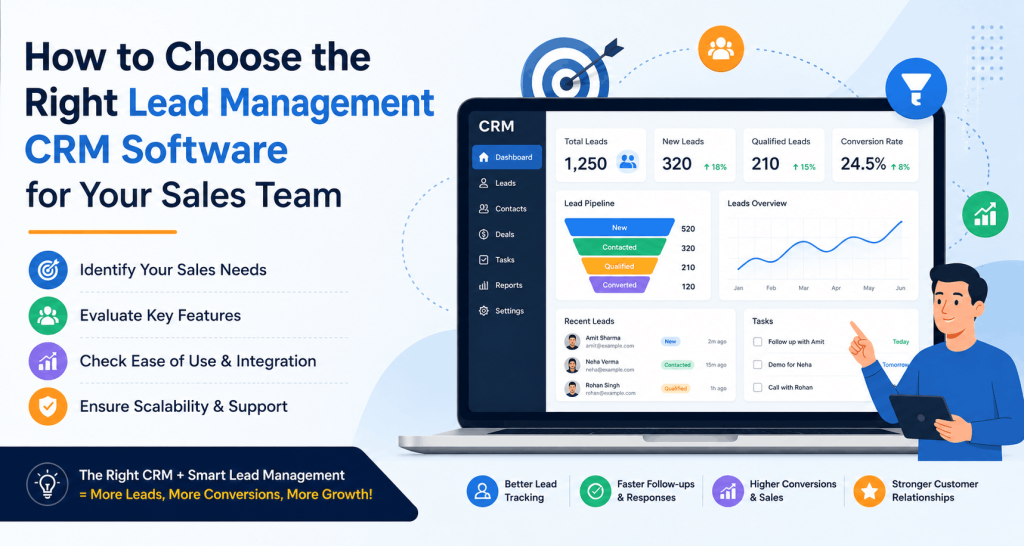
This is where a lot of basic tools fall short. You need to see deals moving stage by stage – New Lead → Contacted → Quotation Sent → Negotiation → Closed. Not as a spreadsheet, but as something visual you can scan in ten seconds.
Here’s a simple way to picture the pipeline flow that any decent lead management CRM for sales team should support:
Notice something? Every single drop-off point above is a process failure, not a “we needed better software” failure. A CRM just makes these leaks visible so you can plug them.
Book a Free Demo
See how Wortal can simplify your business and help you close more deals.


Choosing Right CRM Software: The Questions That Actually Matter
When you’re evaluating tools, skip the “does it have AI” question for a minute. Ask these instead.
Does it match how your team already works? If your reps live on WhatsApp for client communication, a CRM without WhatsApp integration will get ignored within a month. I’ve seen this happen at three different manufacturing units in Gujarat – expensive CRMs sitting unused because the sales team simply went back to their phones.
Can a non-technical person set it up? Most small and mid-sized sales teams don’t have an IT person on standby. If onboarding needs a developer, you’ve picked the wrong tool for your team size.
Does it scale without breaking the bank? Ten users today might become forty next year. Check pricing per user, not just the flat starter price.
Is there a real trial period? Never buy based on a demo alone. A demo shows you the best-case scenario. A trial shows you how it behaves when your actual messy data goes in.
This is the practical core of any sales team CRM guide – match the tool to your actual working style, not the other way around.
Industry-Specific Reality Check
Different industries leak leads differently, and this is something generic CRM advice never covers.
- Textile and manufacturing businesses often get leads through trade fairs, IndiaMART, and referrals. The real issue is speed – the first person to respond usually wins the order. A CRM with instant lead alerts matters more than fancy reporting here.
- Real estate teams deal with long sales cycles. What matters most is scheduled follow-up automation, because a lead from three months ago can suddenly convert.
- Insurance and finance sales depend on trust and documentation. Here, a CRM’s ability to store client history and communication logs becomes the deciding factor.
If a CRM vendor gives you the same pitch regardless of your industry, that’s usually a warning sign.
A Quick Look at the Cost-vs-Value Trade-off
| Business Size | Ideal CRM Features | Rough Monthly Cost Range |
|---|---|---|
| 👤 Solo / Small Team (1–5 Users) | Basic lead capture, reminders | 🟢 Free – ₹200/User |
| 🚀 Growing Team (5–20 Users) | Pipeline view, WhatsApp automation | 🔵 ₹200–₹350/User |
| 🏢 Established Team (20+ Users) | Multi-branch, analytics, inventory integration | 🟣 ₹350+/User |
This isn’t about buying the most expensive plan. It’s about not underpaying for a tool that then can’t grow with you.
Key Takeaways
- A CRM fixes visibility, not a broken sales process – sort your process first.
- Choosing the right CRM software means matching it to how your team communicates, not chasing feature counts.
- WhatsApp and call tracking integration matter more than most people admit, especially for Indian SMBs.
- Pipeline visibility beats spreadsheet chaos every single time.
- Always test with real, messy data during the trial – not a clean demo dataset.
Real Example: How a Surat Trading Firm Fixed Its Lead Leakage

A textile trading business in Surat was handling around 200 leads a month through IndiaMART and WhatsApp combined. Their process? Leads landed in a shared Excel sheet. Whoever checked it first, called first. No ownership, no tracking, no follow-up schedule.
The result was predictable – nearly 40% of leads never got a second follow-up call at all. Not because the sales team was lazy, but because nobody knew whose job it was.
They moved to Wortal, mainly for the WhatsApp automation and the visual deal pipeline. The first change wasn’t even software-related – it forced them to assign clear lead ownership, since the tool required it. Within two months, follow-up consistency improved, and their conversion rate on IndiaMART leads went up by roughly 18%.
The lesson here isn’t “buy this CRM.” It’s that a good lead management CRM for sales team setup exposes gaps you didn’t know existed, and forces better habits almost as a side effect.
Frequently Asked Questions
Excel works fine until you cross around 30–40 active leads per month. Beyond that, follow-ups start slipping through the cracks, and missed opportunities become common. That’s usually when businesses realize they need a proper Lead Management CRM.
Most teams adapt within three to four weeks. The first week usually brings resistance, the second involves learning the workflow, and by the third week, sales reps generally realize the CRM saves time instead of creating extra work.
Not at all. If your team is small and your lead volume is manageable, paying for advanced features you never use doesn’t make sense. Choose software that matches your current business needs and can scale when required.
The biggest mistake is selecting software based only on a sales demo. Always test the CRM with your own leads, sales process, and team before making a final decision.
Yes. Modern CRM software is designed for everyday sales teams, not IT professionals. Simple dashboards, intuitive navigation, and familiar interfaces make adoption much easier.