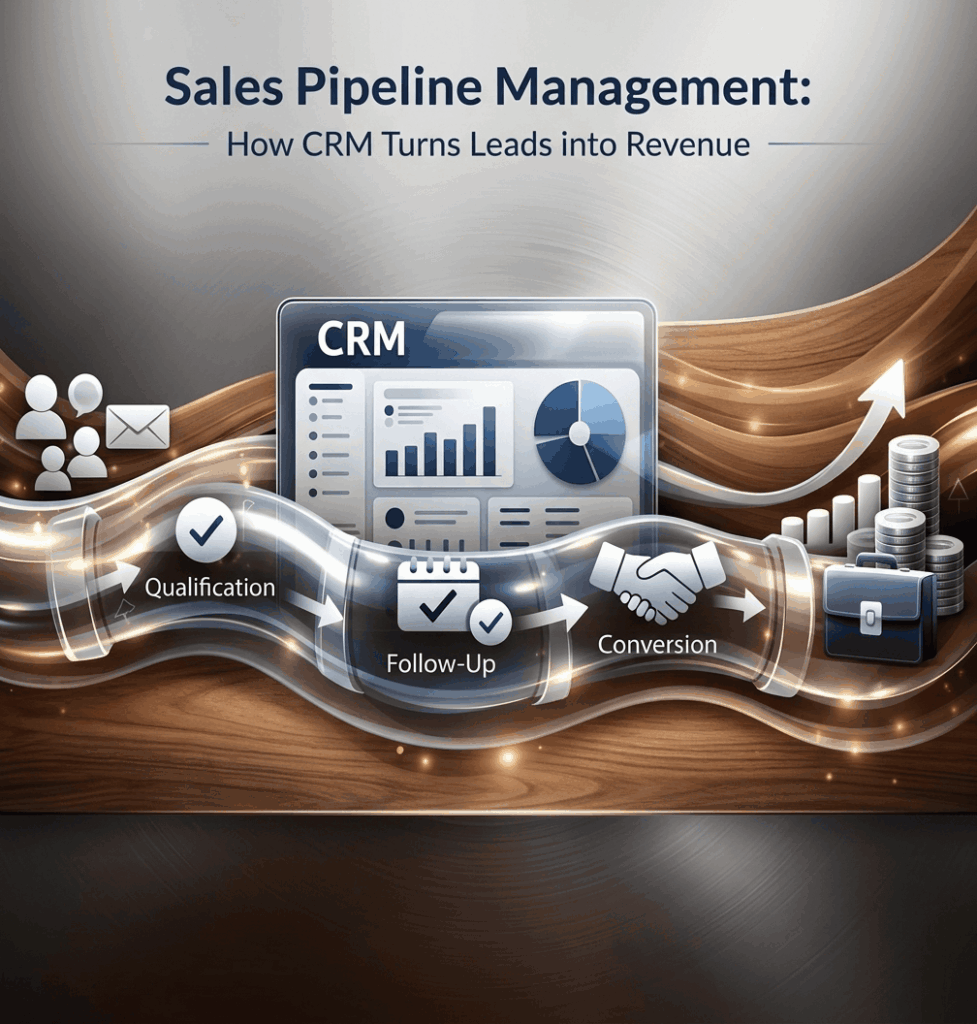

What Is Sales Pipeline Management?
Sales Pipeline Management is the process of tracking potential customers from their first interaction with a business until they make a purchase. It helps sales teams understand which deals are progressing, which need attention, and which are unlikely to close.
For example, a textile wholesaler may receive enquiries from 50 retailers in a month. Some ask for prices, others request samples, and a few are ready to place orders. Without a proper system, the sales team may forget follow-ups, lose track of discussions, or spend too much time on enquiries that are unlikely to convert.
This is where CRM software becomes useful. It gives businesses a structured way to manage leads, monitor sales opportunities, schedule follow-ups, and understand what is happening across the sales process.
The goal is not simply to collect more leads. It is to help the sales team turn the right opportunities into actual orders.
Book a Free Demo
See how Wortal can simplify your business and help you close more deals.


Quick Summary
Sales pipeline management helps businesses organise sales opportunities, improve follow-ups, and identify deals that need attention. CRM software makes this process easier by keeping customer information, communication history, deal stages, reminders, and sales reports in one place.
This guide explains how sales pipelines work, how CRM software improves sales performance, common mistakes to avoid, and how businesses can build a practical sales process.
It is particularly useful for small businesses, manufacturers, wholesalers, distributors, textile companies, and growing B2B organisations that manage multiple customer enquiries and long sales cycles.
What Is a Sales Pipeline?
A sales pipeline is a visual representation of the steps a potential customer takes before becoming a paying customer.
Each potential sale moves through different stages. The exact stages depend on how a business sells its products or services.
A typical B2B sales pipeline looks like this:
New Lead → Lead Qualification → First Contact → Product Demonstration or Quotation → Negotiation → Closed Deal
For example, a manufacturer selling packaging machinery might receive an enquiry from a food processing company. The sales representative first checks the customer’s requirements, discusses machine specifications, shares a quotation, negotiates commercial terms, and finally works towards securing the order.
Every stage represents a different level of progress.
Sales Pipeline vs Sales Funnel: What’s the Difference?
These terms are related, but they describe different perspectives of the sales process.
| Sales Pipeline | Sales Funnel |
|---|---|
| Focuses on the progress of individual deals | Focuses on how prospects move through the buying journey |
| Helps salespeople manage opportunities | Helps businesses understand conversion and drop-offs |
| Tracks activities, stages, and next steps | Shows how many prospects remain at each stage |
| Useful for daily sales management | Useful for analysing the overall sales process |
In simple terms, the sales funnel shows where prospects drop out, while the sales pipeline helps the team manage the opportunities still in progress.
Both are useful when a business wants to improve sales performance.
Why Sales Pipeline Management Matters for Growing Businesses
Sales Pipeline Management gives businesses a clearer picture of their sales activities and helps them identify problems before those problems affect revenue.
Many businesses believe they have a lead generation problem when the actual issue is poor follow-up.
A company may generate plenty of enquiries through its website, sales representatives, distributors, or trade exhibitions. However, if nobody tracks the next action for each enquiry, potential orders can disappear without anyone noticing.
Better Follow-Ups
A customer who requests a quotation may not respond immediately. That does not necessarily mean they have lost interest.
They might be comparing suppliers, waiting for internal approval, or discussing their budget.
A CRM system can help the salesperson schedule a follow-up instead of relying on memory. It also makes previous discussions easier to review before contacting the customer again.
Clearer Sales Forecasts
Sales managers often ask a simple question: How much business can we realistically expect next month?
Without reliable sales data, the answer may depend on individual salespeople’s estimates.
A well-maintained pipeline provides information about deal values, stages, expected closing dates, and historical conversion rates. This supports more informed forecasting, although forecasts still depend on accurate data and realistic assumptions.
Better Use of Sales Time
Not every lead deserves the same amount of attention.
A retailer looking for an immediate bulk purchase may need a quotation today. Another prospect may only be researching suppliers for a project planned six months later.
CRM software helps salespeople prioritise opportunities based on factors such as purchase intent, business requirements, deal value, and the next scheduled action.
Expert Insight: A healthy pipeline is not necessarily the one with the highest number of leads. It is the one where opportunities have clear next steps, realistic closing dates, and enough information to support a buying decision.
How CRM Software Helps Close More Deals
CRM software helps sales teams manage customer relationships and sales opportunities through a shared system.
Instead of maintaining separate spreadsheets, notebooks, emails, and messaging histories, salespeople can use a central record to understand the status of each opportunity.
Here is how this improves Sales Pipeline Management in practice.
Centralises Customer Information
When customer information is scattered across different tools, salespeople may struggle to find the latest quotation, contact details, or conversation history.
A CRM system brings relevant information together.
Depending on the software, a customer record may contain:
- Contact details and company information
- Previous enquiries and interactions
- Product or service requirements
- Quotations and deal values
- Current sales stage
- Follow-up dates and assigned salesperson
Consider a distributor handling enquiries from 200 retailers.
If one salesperson is unavailable, another team member should be able to review the customer record and understand the conversation so far, provided the relevant information has been recorded.
This reduces dependence on individual employees and makes customer handovers easier.
Prevents Missed Follow-Ups
Follow-up discipline is one of the biggest differences between a documented sales process and an informal one.
Suppose a customer receives a quotation on Monday. The salesperson plans to call on Thursday but becomes occupied with other work.
Without a reminder or task assignment, the opportunity may remain untouched for another week.
CRM follow-up reminders help salespeople manage these commitments. Some systems also support automated emails, task creation, and workflow rules.
However, reminders alone will not solve the problem. The team must record meaningful next actions and complete them consistently.
Business Tip: Every active opportunity should have a clear next step, an owner, and a target date. If these details are missing, the deal needs attention.
Makes Deal Progress Visible
A CRM pipeline lets managers see where opportunities are getting stuck.
For example, a business may discover that many leads progress from the initial enquiry to the quotation stage, but very few move to negotiation.
That pattern suggests a problem worth investigating.
Possible reasons include:
- Quotations are taking too long to prepare.
- Prices are not competitive.
- Product specifications do not match customer requirements.
- Salespeople are not explaining the value clearly.
- Prospects are being qualified too late.
The pipeline identifies the stage where deals are slowing down. The sales team must then investigate the underlying reason.
Improves Sales Forecasting
A sales forecast estimates the revenue a business may generate over a future period.
CRM software can support forecasting using deal values, expected closing dates, pipeline stages, and probability estimates.
For example:
| Opportunity | Deal Value | Estimated Probability | Weighted Value |
|---|---|---|---|
| Retailer A | Rs.2,00,000 | 80% | Rs.1,60,000 |
| Distributor B | Rs.3,00,000 | 50% | Rs.1,50,000 |
| Manufacturer C | Rs.1,50,000 | 30% | Rs.45,000 |
| Total | Rs.6,50,000 | — | Rs.3,55,000 |
The weighted value is calculated by multiplying each deal value by its estimated probability.
Here, the weighted pipeline value is Rs.3,55,000. This is not guaranteed revenue. It is a planning estimate that depends on how accurately the probabilities reflect actual sales outcomes.
Businesses should regularly compare forecasts with closed deals and adjust their assumptions.
Helps Sales Teams Work Together
In B2B sales, several people may be involved in one opportunity.
A salesperson may handle the initial discussion, a technical employee may confirm specifications, and a manager may approve pricing.
If these activities are not coordinated, customers may receive delayed responses or conflicting information.
CRM software helps teams share deal updates, assign responsibilities, and maintain a common record of customer discussions.
For businesses with multiple sales representatives, territories, or product categories, this visibility can be particularly valuable.
Identifies the Right Opportunities
A large pipeline can look impressive while hiding weak opportunities.
For example, a salesperson might have 100 open leads, but only 15 may have a genuine requirement, a suitable budget, and a realistic purchase timeline.
Lead qualification helps separate promising opportunities from enquiries that are unlikely to convert.
Businesses can qualify leads using criteria such as:
- Does the customer need the product or service?
- Is the requirement clearly understood?
- Can the business meet the customer’s expectations?
- Is the expected purchase timeline realistic?
- Is the person involved in the buying decision?
CRM software helps record this information so salespeople can make better decisions about where to spend their time.
The Main Stages of a Sales Pipeline
A practical pipeline should reflect how customers actually buy from your business.
Using too many stages can make updates difficult. Using too few makes it hard to understand what needs to happen next.
Here is a starting framework for B2B businesses.
| Pipeline Stage | What Happens | What Moves the Deal Forward? |
|---|---|---|
| New Lead | An enquiry is received | Contact details and basic requirements are recorded |
| Qualified Lead | The prospect appears suitable | Need, budget, and buying timeline are understood |
| Needs Assessment | The salesperson gathers details | Product or service requirements are confirmed |
| Quotation or Proposal | Commercial terms are shared | The customer reviews the proposal |
| Negotiation | Pricing, quantities, or terms are discussed | Outstanding concerns are resolved |
| Closed Won | The customer agrees to purchase | The order or agreement is confirmed |
| Closed Lost | The opportunity does not proceed | The reason for losing the deal is recorded |
Not every business needs all these stages. A small retailer selling directly to walk-in customers may need a much shorter process than a manufacturer selling customised equipment.
How to Keep Deals Moving
Each stage should have a clear exit condition.
For example, sending a quotation does not automatically mean a deal is ready for negotiation. The customer should have reviewed the proposal or started discussing its terms.
This distinction matters because sales reports become unreliable when employees move opportunities between stages simply to make the pipeline look active.
A well-defined process helps managers understand real progress instead of relying on optimistic updates.
Sales Pipeline Management Across Different Industries
Different businesses have different sales cycles. The same CRM setup will not work equally well for every industry.
Retail Businesses
Retail businesses may deal with walk-in enquiries, repeat buyers, bulk orders, and customer requests across multiple channels.
A CRM system can help track repeat customers, pending bulk enquiries, and follow-ups for customers considering higher-value purchases.
For example, a furniture retailer may need to follow up with a customer who requested a quotation for furnishing an entire office.
Manufacturers
Manufacturers often need to understand technical requirements before preparing a quotation.
A potential buyer may request samples, product specifications, production timelines, or customised pricing.
A CRM pipeline helps the sales team track these activities and coordinate discussions with production or technical teams.
Wholesalers and Distributors
Wholesalers and distributors often manage many buyers who place orders at different intervals.
CRM software can help identify inactive accounts, track new business opportunities, and organise follow-ups with retailers or dealers.
Where CRM is integrated with order management or inventory software, teams may also gain better visibility into relevant stock or order information. These capabilities depend on the systems and integrations available.
Textile Businesses
Textile businesses may receive enquiries involving fabric types, colours, quantities, patterns, pricing, and delivery requirements.
A salesperson needs to know whether a customer is still comparing samples, waiting for approval, or ready to place an order.
A structured pipeline makes these stages easier to track and reduces the risk of losing an opportunity because nobody followed up at the right time.
Industry Observation: The more customised a product or order is, the more useful it becomes to document customer requirements and agreed next steps. This is especially relevant for manufacturers, textile suppliers, and B2B distributors.
Manual Sales Tracking vs CRM Software
Small businesses often begin with spreadsheets. This can work when the team has a manageable number of leads and a straightforward sales process.
Problems usually emerge as the number of opportunities, salespeople, and customer interactions increases.
| Factor | Manual Tracking | CRM Software |
|---|---|---|
| Lead records | Entered into spreadsheets or documents | Stored in a central system |
| Follow-ups | Depend on personal reminders | Can be supported by tasks and alerts |
| Team visibility | Requires sharing and updating files | Shared access, depending on permissions |
| Sales reporting | Often requires manual calculations | Reports may be generated automatically |
| Deal history | Can be spread across several tools | Can be maintained against customer records |
| Scalability | Becomes harder as activity grows | Can support more structured processes |
| Initial cost | Often low | Depends on pricing and implementation |
CRM software is not automatically the better choice for every business.
A company with very few enquiries may be perfectly comfortable using a spreadsheet. A business with multiple salespeople, frequent follow-ups, and several open opportunities may benefit much more from a dedicated CRM.
The decision should depend on the complexity of the sales process, the cost of missed opportunities, and the team’s ability to maintain accurate records.
Common Sales Pipeline Management Mistakes
Even businesses using CRM software can struggle when their underlying process is unclear.
Mistake 1: Treating Every Lead as a Serious Opportunity
An enquiry does not automatically represent a likely sale.
Some people are collecting prices. Others may not have a budget or a genuine buying timeline.
What to do: Define qualification criteria and move unsuitable prospects out of the active pipeline.
Mistake 2: Failing to Record the Next Action
A deal may remain open for weeks because nobody knows who should contact the customer next.
What to do: Assign an owner and a dated next step to every active opportunity.
Mistake 3: Keeping Lost Deals Open
Salespeople sometimes leave unsuccessful opportunities in the pipeline because they hope the customer will return.
This inflates pipeline values and makes forecasts less reliable.
What to do: Close inactive opportunities as lost when appropriate, record the reason, and reopen them if the customer returns.
Mistake 4: Using Too Many Pipeline Stages
A complicated pipeline creates unnecessary administrative work.
If employees cannot easily understand when a deal should move forward, updates become inconsistent.
What to do: Start with a small number of meaningful stages. Add more only when they improve decision-making.
Mistake 5: Measuring Only Total Sales
Revenue matters, but it does not explain why a team is performing well or poorly.
A team may meet its monthly target while losing a large number of qualified opportunities because of slow quotations or weak follow-ups.
What to do: Track additional measures such as lead to customer conversion rate, average deal size, sales cycle length, follow-up completion, and stage wise conversion.
Mistake 6: Buying CRM Software Without a Clear Process
Software cannot automatically fix unclear responsibilities or inconsistent sales practices.
If the team does not know what information to record, the CRM may become another system that employees avoid using.
What to do: Map the current sales process before choosing or configuring the software.
Case Study: How a B2B Distributor Can Improve Its Sales
Process
The following is an illustrative business scenario, not a verified customer case or a claim about actual results.
The Problem
Consider a regional electrical goods distributor selling to retailers, contractors, and small industrial buyers.
The business receives enquiries through sales representatives, telephone calls, WhatsApp, and trade referrals.
Each salesperson maintains separate notes. Managers ask for updates at the end of the week, but the information is incomplete.
Several problems become common:
- Customers receive quotations but are not contacted again.
- Two salespeople occasionally approach the same account.
- Managers cannot identify which deals are likely to close.
- Older enquiries remain in spreadsheets even after customers have stopped responding.
- Monthly sales forecasts rely heavily on individual estimates.
The business does not necessarily need more leads. It needs a better way to manage the leads it already has.
The Solution
The distributor introduces CRM software and creates a simple pipeline:
New Enquiry → Qualified → Requirement Confirmed → Quotation Sent → Follow-Up or Negotiation → Won or Lost
The business also establishes a few basic rules.
- Every lead must have an assigned salesperson.
- Customer requirements must be recorded before a quotation is prepared.
- Every active deal must have a next action and target date.
- Lost opportunities must include a reason.
- Managers review stalled deals every week.
Implementation
Rather than transferring every historical record immediately, the team begins with active enquiries and important existing customers.
Salespeople receive practical training on updating deals, recording customer conversations, and setting reminders.
During the first few weeks, managers check whether employees are entering useful information instead of simply moving deals between stages.
The team also reviews common reasons for lost opportunities, such as price differences, product availability, delayed responses, and changed customer requirements.
The Result
The distributor can now see which quotations need attention, which salespeople have overdue follow-ups, and which opportunities are close to a decision.
Managers have a more reliable view of the active pipeline and can identify recurring problems earlier.
The business can also use its recorded lost deal reasons to decide whether it needs to improve quotation turnaround time, pricing decisions, or customer communication.
Actual improvements in conversion rate or revenue would need to be measured against a baseline over a suitable period.
Lessons Learned
The biggest lesson is that introducing CRM software is only part of the work.
The business must also agree on pipeline stages, define employee responsibilities, maintain accurate records, and review the information regularly.
A simple process followed consistently is often more useful than a sophisticated CRM that nobody updates.
How to Choose the Right CRM Software for Your Business
The right CRM should fit your sales process rather than force your team to work around unnecessary complexity.
Before selecting a system, evaluate these factors.
Ease of Use
Salespeople should be able to update an opportunity quickly.
If recording a simple customer call requires too many steps, the team may avoid maintaining the system.
Pipeline Customisation
Check whether you can create stages that reflect your actual sales process.
A manufacturer selling customised products may need different stages from a distributor handling repeat bulk orders.
Follow-Up Management
Look for features that help your team schedule calls, assign tasks, set reminders, and identify overdue activities.
Check which functions are included in the selected plan.
Reporting and Forecasting
A useful CRM should help managers answer questions such as:
- How many qualified opportunities are open?
- What is the total value of the active pipeline?
- Which stages have the highest drop-off rates?
- How long do deals usually take to close?
- Which opportunities have overdue follow-ups?
The quality of these reports depends on the quality of the data entered by the team.
Integration With Existing Business Systems
For manufacturers, wholesalers, textile businesses, and distributors, sales information may need to connect with quotations, inventory, order processing, or accounting.
An integrated business system can reduce duplicate data entry and make it easier to coordinate sales commitments with operational requirements.
However, integration should be verified rather than assumed. Check which systems connect directly, what information is synchronised, and whether additional configuration is required.
Where Wortal Fits
For businesses that need to coordinate sales activities with broader business operations, Wortal is worth evaluating based on its available CRM, sales, and business-management capabilities.
The practical benefit of a connected system is that customer related activities can be considered alongside the information needed to fulfil an order.
For example, a distributor may need to understand a customer’s requirements, follow up on a quotation, and check relevant stock or order information before confirming the next step.
When evaluating Wortal, businesses should verify which specific features, integrations, and workflows are available in the product and plan they intend to use.
The best choice is the system that supports the company’s actual workflow, gives employees useful information, and can be maintained consistently.
A Practical Framework for Improving Your Sales Pipeline
If your current sales process feels difficult to manage, start with these steps.
Step 1: Map the existing process. Write down what happens from the moment an enquiry arrives until an order is confirmed.
Step 2: Define clear pipeline stages. Give each stage a specific meaning and a condition that must be met before an opportunity moves forward.
Step 3: Establish ownership. Every active deal should have one clearly responsible salesperson, even when other employees contribute.
Step 4: Set follow-up rules. Decide how the team will schedule the next action after an enquiry, meeting, or quotation. The timing should reflect customer expectations and the sales cycle.
Step 5: Track a small number of useful metrics. Start with conversion rate, deal age, average sales cycle, overdue follow-ups, and reasons for lost deals.
Step 6: Review stalled opportunities. Ask what is preventing the customer from moving forward and what action could resolve the issue.
Step 7: Improve the process using evidence. If quotations frequently stall, investigate pricing, turnaround time, product fit, and customer objections before making changes.
This approach makes Sales Pipeline Management a regular business activity rather than a report prepared only when the manager asks for one.
Key Takeaways
- Sales Pipeline Management helps businesses track opportunities from the first enquiry to the final purchase decision.
- A sales pipeline focuses on individual deals, while a sales funnel helps explain overall conversion.
- CRM software centralises customer information and makes follow-ups easier to manage.
- Every active opportunity should have a responsible owner and a clear next action.
- Sales forecasts are estimates, not guaranteed revenue.
- Different industries need different pipeline stages and qualification criteria.
- Manufacturers, wholesalers, distributors, and textile businesses can benefit from documenting customer requirements and quotation follow-ups.
- Too many pipeline stages can make the system difficult to maintain.
- Reviewing lost deals helps businesses identify recurring problems in pricing, product fit, and communication.
- CRM software works best when employees understand the process and keep records accurate.
- Integration with inventory, order management, or accounting systems should be checked before purchase.
- The best pipeline is one that helps the sales team make better decisions and move suitable opportunities forward.
Conclusion
More sales enquiries do not always lead to more orders. Sometimes, the difference comes down to what happens after a customer shows interest.
A quotation that receives no follow-up, a requirement that was never recorded, or an opportunity that stays open without a clear next step can all affect sales performance.
Effective Sales Pipeline Management helps businesses bring structure to these everyday activities. CRM software supports the process by organising customer information, highlighting stalled deals, and giving managers a clearer picture of sales performance.
For growing businesses, the objective is not to make the sales process unnecessarily complicated. It is to ensure that every promising opportunity receives the right attention at the right time.
With a clearly defined process, consistent follow-ups, and suitable software, businesses can make better use of their existing leads and build a more predictable approach to sales growth.