

Running a business without a proper CRM is like trying to manage 500 contacts in a spreadsheet – it works, until it doesn’t. And when it breaks, it usually breaks at the worst moment: a follow-up slips, a deal goes cold, or your sales team is chasing leads that were already closed by someone else.
The market for CRM software India has grown significantly, and so has the gap between what most tools promise and what they actually deliver. So before you commit to any platform, here’s what genuinely matters.
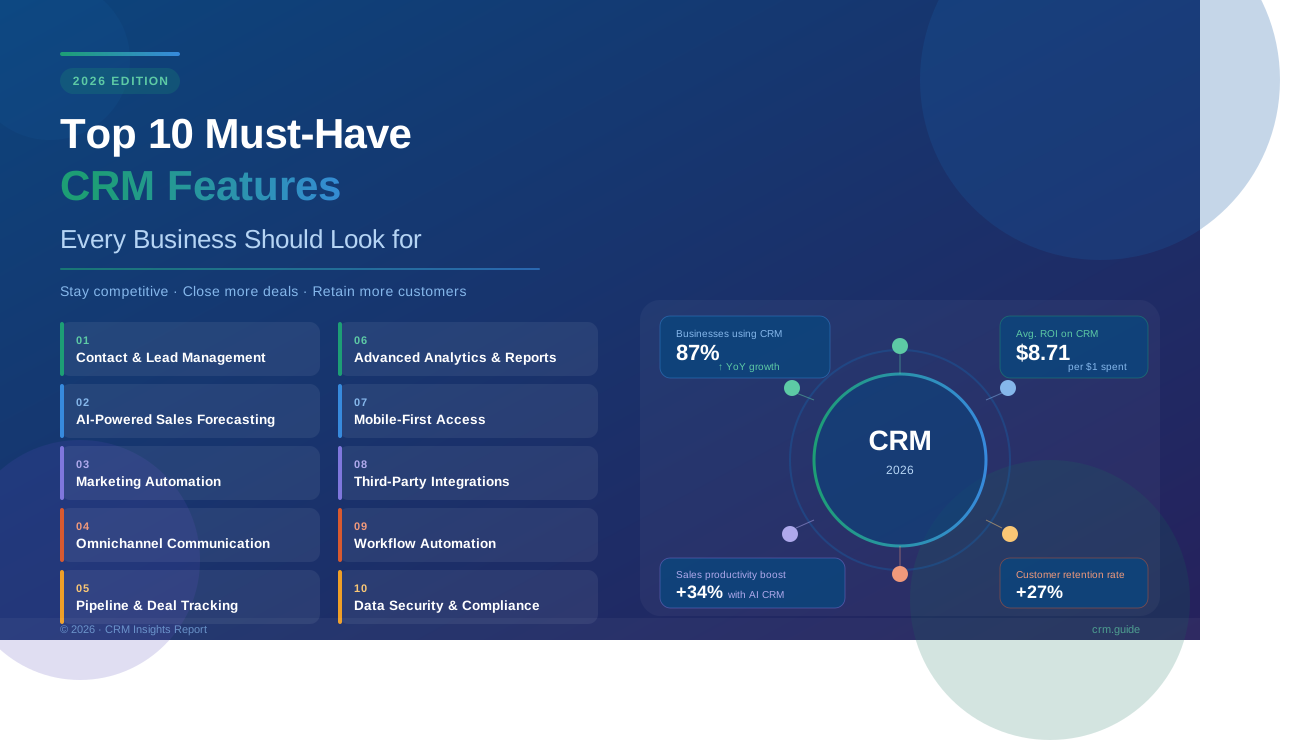
1. Lead Management That Actually Keeps Up
A good CRM doesn’t just store leads – it helps you prioritize them. Look for auto-assignment, lead scoring, and a clear view of where each prospect stands in the pipeline.
If your team is manually deciding who to call next, you’re already losing time.
2. Visual Sales Pipeline
Most people ignore this part when evaluating tools, but a drag-and-drop visual pipeline changes how your team works daily. It gives instant clarity – no need to pull a report just to know the state of your deals.
Kanban-style deal boards are worth looking for specifically.
3. WhatsApp and Email Automation
In India especially, WhatsApp is often the primary communication channel for SMBs. Any CRM for small businesses that doesn’t support WhatsApp automation is already behind the curve.
Today, most CRM software India SMBs prefer includes WhatsApp automation as a core feature.
Look for:
- Automated follow-up messages triggered by deal stage
- Bulk WhatsApp/email campaigns
- Message templates that save your team hours every week
4. Real-Time Sales Reporting
You shouldn’t have to wait for end-of-week reports to know how your team is performing. Real-time dashboards and custom reports let managers catch issues early – not after a missed target.
The real issue is that most CRMs offer reporting as an afterthought. Prioritize platforms where analytics is front and center.
5. Mobile CRM Access
Your field sales team isn’t sitting at a desk. A CRM software india that works well on mobile – not just a stripped-down version of the desktop app – is non-negotiable in 2026.
Look for call logging, note-taking, and deal updates that work smoothly from a phone.
6. Inventory and Sales Integration
This one matters more than people expect. For businesses in manufacturing, retail, or distribution, having inventory data inside your sales management software removes a whole layer of back-and-forth between departments.
When your sales rep knows stock availability in real time, they can commit to delivery timelines without playing phone tag with the warehouse.
7. Employee and Task Management
That’s where things usually go wrong in growing businesses – tasks fall through because no one owns them. A CRM with built-in task assignment, reminders, and team accountability features keeps everyone aligned.
It’s not about micromanagement. It’s about visibility.
8. Call Tracking (WCaller or Equivalent)
Call data is often the most underused asset in sales. A call tracking feature – or integration with a calling app – tells you how many calls were made, who picked up, what was discussed, and what came next.
Some CRM software India platforms now bundle this natively, which saves you from stitching together separate tools.
9. Easy Onboarding and Clean UI
A CRM only works if your team actually uses it. Overcomplicated interfaces lead to low adoption, and low adoption means your data is always incomplete.
Before committing, run a trial with the people who’ll use it daily – not just the decision-makers. Their feedback usually tells you more than any feature checklist.
10. Flexible Pricing for Growing Teams
Scalability matters. A business CRM tool that charges enterprise rates from day one isn’t practical for most Indian SMBs. Look for tiered pricing where you can start small and grow without getting locked into a contract that doesn’t fit.
In practical terms, platforms with a free trial and per-user monthly pricing give you the most flexibility.
Key Takeaways
- Prioritize features your team will actually use, not the longest feature list
- WhatsApp automation and mobile access are especially critical in the Indian market
- Real-time reporting and visual pipelines reduce guesswork in daily sales management
- Always test with your actual sales team before finalizing a tool
- Look for a platform that grows with you – not one that’s priced for a company three times your size
Frequently Asked Questions (FAQs)
Q1. What is the most important CRM feature for small businesses in India?
For most Indian SMBs, WhatsApp automation and lead management rank highest. These two features directly impact how quickly and consistently your team follows up, which is usually where revenue is won or lost.
Q2. How is CRM software in India different from global CRM platforms?
The main differences are around local communication preferences (WhatsApp over email), GST and billing integrations, regional language support, and pricing suited to Indian SMB budgets. Global tools often miss these nuances.
Q3. Is a free CRM good enough for a growing business?
Free plans work for getting started, but they typically limit users, reports, or automations. As your team grows, those limits become bottlenecks. A paid tier with per-user pricing usually makes more sense once you cross 5–10 active users.
Q4. What’s the difference between sales management software and a full CRM?
Sales management software typically focuses on deals and revenue tracking, while a full CRM covers the entire customer relationship—from first contact to post-sale support. Most modern platforms offer both in one solution.
Q5. How long does it take to implement a CRM for a small business?
With a modern cloud-based CRM, basic setup can happen in a day or two. Full adoption—where the whole team is consistently logging data – usually takes 2-4 weeks, depending on the level of training and customization required.