
What Is a B2B CRM?
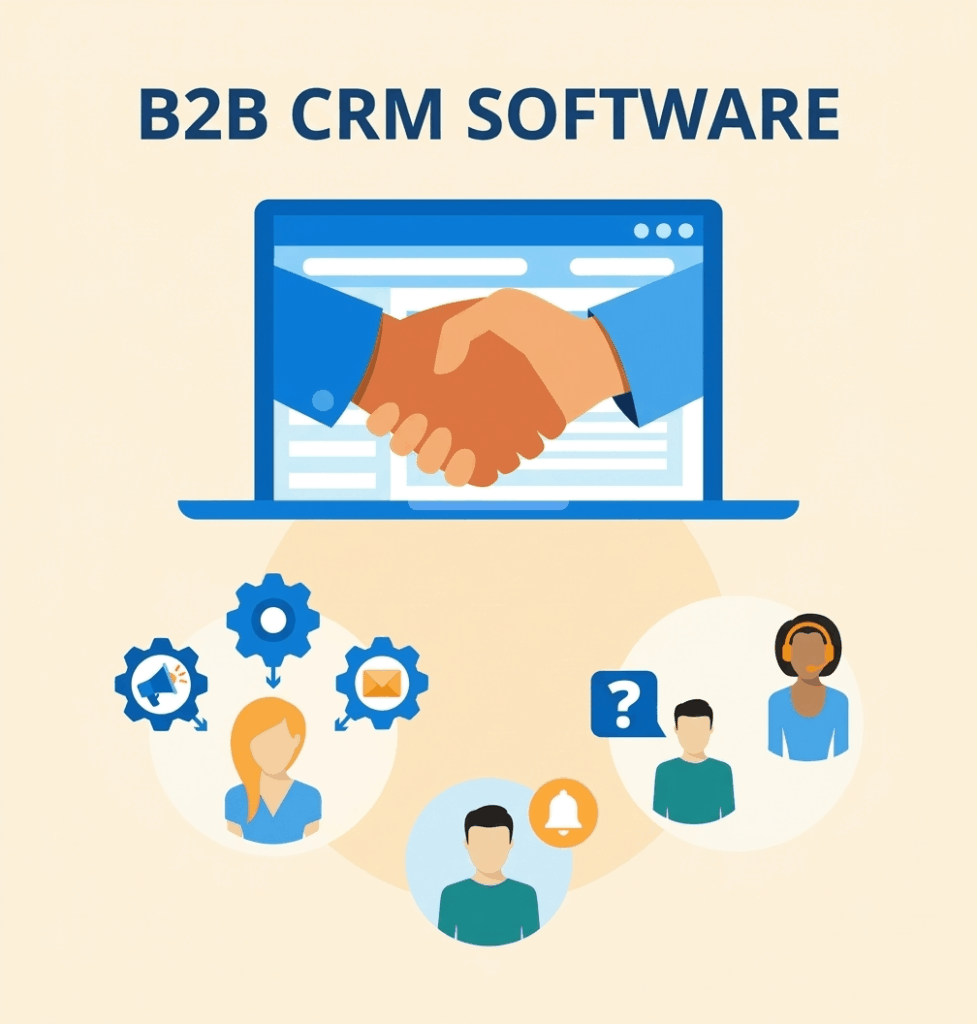
A B2B CRM is software that helps a business manage its relationships with other businesses. It keeps customer details, leads, sales conversations, follow-ups, quotations, deals, tasks, and communication in one place.
The main reason companies use a B2B CRM Software is simple: B2B sales rarely happen after one conversation. A prospect may ask for a quotation today, discuss pricing next week, involve another decision-maker later, and place the order several weeks after that. Without a proper system, important details get scattered across WhatsApp, email, Excel files, notebooks, and individual employees’ memories.
A good B2B CRM System brings these activities together. It gives salespeople a clear view of what is happening with every prospect and helps managers see where deals are getting delayed.
For a manufacturer, wholesaler, distributor, textile company, service provider, or growing B2B company, the real value is not simply having a database of customers. It is knowing which lead needs attention, what happened previously, what should happen next, and who is responsible for it.
Book a Free Demo
See how Wortal can simplify your business and help you close more deals.


Quick Summary
This guide explains:
- What a B2B CRM does
- The most useful features of B2B CRM Software
- How CRM For B2B Businesses differs from ordinary contact management
- How B2B Lead Management works
- How a B2B Sales CRM supports the sales process
- Practical use cases across manufacturing, wholesale, distribution, retail and textile businesses
- Benefits and limitations of implementing a CRM
- Common mistakes businesses make while selecting CRM software
- A practical framework for choosing the right B2B CRM System
- How Wortal can fit into a growing company’s sales and customer-management process
What Makes B2B CRM Different From Regular CRM?
The biggest difference is the complexity of the buying process.
In B2C sales, one person often makes the purchase decision. B2B sales can involve a buyer, owner, purchase manager, accounts team, technical person and senior management.
That changes what the CRM needs to track.
For example, imagine a textile manufacturer supplying fabric to garment companies.
One company may have:
- Three contacts
- Multiple product requirements
- Different price negotiations
- Several quotations
- Regular follow-ups
- Multiple orders
- Credit discussions
- Different communication histories
Simply saving the company name and phone number is not enough.
This is why CRM For B2B Businesses needs to capture relationships, activities and sales stages rather than acting as just a digital address book.
B2B CRM vs basic contact management
| Basic Contact Management | B2B CRM System |
|---|---|
| Stores contact details | Stores complete customer history |
| Name and phone number | Contacts, companies and decision-makers |
| Limited activity tracking | Calls, meetings, tasks and follow-ups |
| Manual sales tracking | Sales pipeline |
| No clear deal stage | Stage-wise opportunity tracking |
| Limited reporting | Sales and performance reports |
| Individual ownership | Team-based responsibility |
| Mostly historical data | Helps manage upcoming actions |
The difference becomes especially visible when a sales team grows.
When there are only five customers, the owner may remember everything. With 100, 500 or 1,000 business accounts, that approach becomes difficult to maintain.
Key Features of B2B CRM Software
A useful B2B CRM Software should solve actual sales and customer management problems. It should not simply offer dozens of features that your team never uses.
Here are the features that deserve the most attention.
1. Lead Management
B2B Lead Management is the process of capturing, organizing, qualifying and following up with potential customers.
Leads may come from:
- Website enquiries
- Phone calls
- Social media
- Trade exhibitions
- Referrals
- Online advertisements
- Existing customers
- Sales representatives
- Import or distributor enquiries
The CRM should help answer four basic questions:
Where did the lead come from?
Who owns it?
What stage is it in?
What should happen next?
Without these answers, leads can easily become forgotten.
2. Sales Pipeline Management
A B2B Sales CRM should make the sales pipeline visible.
A simple pipeline could look like this:
The exact stages should depend on the company’s sales process.
A manufacturer selling machines may need technical evaluation and site visits.
A wholesaler may move from enquiry → quotation → negotiation → order much faster.
A SaaS company may need demo → trial → commercial discussion → procurement → closure.
The CRM should reflect the actual process rather than forcing every business into the same pipeline.
3. Follow-Up Management
This is one of the most practical reasons to adopt a B2B CRM.
A sales opportunity often does not disappear because the customer said no.
It disappears because nobody followed up at the right time.
A good system should allow salespeople to schedule:
- Call reminders
- Meeting reminders
- Quotation follow-ups
- Payment-related tasks
- Product demonstrations
- Renewal reminders
- Customer callbacks
The important part is that the next action should be visible.
Expert Insight: A CRM becomes valuable when it changes what your sales team does tomorrow morning, not when it simply produces a beautiful dashboard.
4. Company and Contact Management
B2B sales often involve multiple people from the same organization.
The CRM should therefore distinguish between:
Company → Contacts → Opportunities → Activities
For example:
ABC Garments
- Purchase Manager
- Owner
- Accounts Manager
- Production Head
One company may have several opportunities running at the same time.
That relationship becomes difficult to maintain in a simple spreadsheet.
5. Quotation and Deal Tracking
Many B2B businesses send several quotations before receiving an order.
The CRM should help salespeople know:
- When the quotation was sent
- Quotation value
- Products discussed
- Expected closing date
- Current negotiation stage
- Last conversation
- Next follow-up
This provides much better visibility than a spreadsheet containing only “Quotation Sent.”
6. Task and Team Management
A B2B CRM System should not stop at storing information.
It should also help teams act on that information.
For example:
Lead received → Assigned to salesperson → Call scheduled → Requirement recorded → Quotation prepared → Follow-up assigned → Deal updated
This creates accountability.
Managers can also identify situations such as:
- Leads without follow-ups
- Overdue tasks
- Deals without recent activity
- Salespeople carrying too many opportunities
- Old leads sitting untouched
7. Sales Reports and Dashboards
A CRM dashboard should answer business questions, not simply display numbers.
Useful reports include:
- Leads generated
- Leads by source
- Conversion rate
- Open opportunities
- Sales pipeline value
- Won deals
- Lost deals
- Salesperson performance
- Follow-up activity
- Average sales cycle
- Pending quotations
For example, if 200 leads were generated last month but only 10 became customers, management should be able to investigate where those leads dropped out.
That is where B2B Lead Management becomes useful for decision-making rather than just record keeping.
How B2B Lead Management Works in Practice
Good B2B Lead Management usually follows a simple process.
The important word here is process.
A CRM cannot fix a sales process that nobody follows.
If every salesperson uses different stages, different definitions and different follow-up habits, the reports will not be reliable.
Business Tip
Before implementing CRM software, define what each sales stage actually means.
For example:
Qualified Lead: The company has a genuine requirement, relevant budget or buying potential, and a realistic reason to continue the conversation.
This prevents sales teams from calling every contact a “hot lead.”
Benefits of CRM For B2B Businesses
The benefits of CRM For B2B Businesses are usually operational rather than flashy.
1. Fewer Missed Follow-Ups
Scheduled activities reduce dependence on memory.
This is especially useful when salespeople handle dozens of active prospects.
2. Better Sales Visibility
Managers can see the pipeline without asking every salesperson for an update.
3. Less Dependence on Individual Employees
Customer information stays with the company instead of remaining inside one salesperson’s phone or notebook.
This matters when employees leave or change responsibilities.
4. Faster Response
When previous conversations are recorded, another salesperson can understand the account without starting from zero.
5. Better Lead Prioritization
Not every enquiry deserves the same amount of time.
A CRM can help teams identify opportunities based on value, stage, source, expected closure and engagement.
6. More Consistent Sales Processes
The team follows defined stages instead of creating its own system.
7. Better Management Decisions
Management gets historical data that can help identify sales trends and operational problems.
B2B CRM Use Cases Across Different Industries
The best way to understand a B2B Sales CRM is to look at how businesses actually use it.
Manufacturing
A manufacturer may receive enquiries from dealers, distributors and direct buyers.
The CRM can track:
- Product enquiry
- Quantity requirement
- Technical discussion
- Quotation
- Negotiation
- Sample approval
- Purchase order
- Follow-up
Example
A machinery manufacturer receives 50 enquiries every month.
Without a CRM, salespeople may track enquiries in Excel.
With a B2B CRM System, each enquiry can have an owner, stage, expected value and next action.
Wholesale
A wholesaler may deal with hundreds of retailers.
The CRM can help track:
- New retailer enquiries
- Product interest
- Salesperson visits
- Price discussions
- Order potential
- Follow-ups
This is particularly useful when sales representatives operate across different cities.
Textile Businesses
Textile sales often involve samples, product categories, price negotiations and repeated conversations.
A CRM can organize:
- Buyer information
- Product requirements
- Sample discussions
- Quotations
- Follow-ups
- Order opportunities
For a textile business, the ability to see previous interactions can save considerable time.
Distribution Businesses
Distributors often work with retailers, dealers and manufacturers simultaneously.
A B2B CRM Software platform can help sales teams organize accounts by territory, salesperson, product interest and opportunity stage.
B2B Service Companies
Consulting firms, agencies, IT companies and professional service providers can use CRM to track:
- Enquiries
- Discovery calls
- Proposals
- Meetings
- Negotiations
- Contracts
- Renewals
Here the sales cycle may be longer, making follow-up discipline even more important.
CRM vs Excel vs WhatsApp
Many small businesses ask a fair question:
Why should we buy CRM software when Excel and WhatsApp already work?
The answer depends on the size and complexity of the operation.
| Basic Contact Management | B2B CRM System |
|---|---|
| Stores contact details | Stores complete customer history |
| Name and phone number | Contacts, companies and decision-makers |
| Limited activity tracking | Calls, meetings, tasks and follow-ups |
| Manual sales tracking | Sales pipeline |
| No clear deal stage | Stage-wise opportunity tracking |
| Limited reporting | Sales and performance reports |
| Individual ownership | Team-based responsibility |
| Mostly historical data | Helps manage upcoming actions |
Excel is not bad software.
For a very small sales operation, it may be enough.
The problem starts when the business needs a repeatable process and multiple people are working on the same customer base.
How to Choose the Right B2B CRM
Choosing the right B2B CRM System should start with your sales process, not the feature list.
Use this framework.
Step 1: Map Your Existing Sales Process
Write down what happens from first enquiry to closed sale.
For example:
Then identify where things currently go wrong.
Step 2: Identify Your Biggest Problem
Do you struggle with:
- Missed follow-ups?
- Lead allocation?
- Quotation tracking?
- Sales visibility?
- Customer history?
- Salesperson accountability?
- Reporting?
Start there.
Don’t buy a CRM because another company has 100 features.
Step 3: Check Ease of Use
A technically powerful B2B CRM Software is not useful if salespeople avoid using it.
During evaluation, ask:
- How quickly can a salesperson add a lead?
- How many screens are required to update a deal?
- Can tasks be created easily?
- Is the mobile experience practical?
- Can managers understand the pipeline without training for weeks?
Common Mistake
Choosing software based entirely on the management dashboard.
Your salespeople are the people who will enter the data.
If they find the system inconvenient, the dashboard will eventually contain incomplete information.
Step 4: Check Customization
Different industries have different sales processes.
A textile company may need buyer and product information.
A manufacturer may need technical evaluation.
A service company may need proposal and contract stages.
Your CRM should allow sensible customization without requiring constant technical support.
Step 5: Check Integrations
Consider the tools your team already uses.
Depending on your requirements, you may need integration with:
- Website forms
- Accounting software
- ERP
- Telephony
- Marketing platforms
Integration matters because employees should not have to enter the same information into five different systems.
A Simple Decision Matrix
Score each CRM from 1 to 5 against the factors that matter to your business.
| Factor | Weight | CRM A | CRM B | CRM C |
|---|---|---|---|---|
| Ease of use | High | |||
| Lead management | High | |||
| Pipeline management | High | |||
| Follow-ups | High | |||
| Reporting | Medium | |||
| Customization | Medium | |||
| Integrations | Medium | |||
| Mobile access | Medium | |||
| Pricing | High | |||
| Support | High |
The purpose isn’t to find the software with the longest feature list.
It is to find the system that fits how your team actually works.
How Wortal Fits Into B2B Sales Management
For businesses that need more than basic contact storage, Wortal can bring sales activities, leads, customer information and follow-ups into a structured workflow.
The practical value of a B2B CRM such as Wortal is that the sales team can work from a shared system instead of maintaining separate spreadsheets and personal records.
For a growing business, this can help create a clearer connection between:
Lead → Sales Activity → Follow-Up → Opportunity → Customer
Wortal can be particularly relevant for businesses such as manufacturers, wholesalers, distributors, textile companies, real estate businesses and other B2B organizations where sales involve repeated follow-ups and multiple customer interactions.
The right approach, however, is to first define the company’s process and then configure the CRM around it.
Common B2B CRM Implementation Mistakes
Buying the software is often easier than implementing it properly.
Here are some mistakes worth avoiding.
1. Adding Every Possible Field
If creating a lead takes five minutes, salespeople will avoid doing it.
Capture information that the team actually needs.
2. Creating Too Many Pipeline Stages
A pipeline with 15 stages may look sophisticated but can become difficult to maintain.
Keep stages meaningful.
3. Treating Every Lead Equally
A Rs.10,000 opportunity and a Rs.10 lakh opportunity may require different attention.
Use sensible qualification criteria.
4. Not Defining Ownership
Every active lead should have a clear owner.
If responsibility is shared by “the sales team,” it can easily become nobody’s responsibility.
5. Ignoring Old Data
Moving 10,000 unclean contacts into a new CRM does not automatically create a better database.
Clean duplicates and outdated records before migration.
6. Measuring Activity Instead of Outcomes
Making 100 calls is not automatically better than making 30 useful calls.
Track meaningful sales metrics alongside activity.
Real-Life Style Case Study: A Growing Textile Supplier
Consider a mid-sized textile supplier selling fabric to garment manufacturers and retailers.
The company had a sales team of eight people.
The Problem
Most leads came through:
- Phone calls
- Existing customers
- Trade exhibitions
- Sales representatives
The team maintained an Excel file for leads, while important conversations stayed inside individual WhatsApp accounts.
Management faced three recurring problems:
- Nobody had a complete view of the pipeline.
- Follow-ups were missed when salespeople were travelling.
- When an employee was unavailable, another team member struggled to understand the customer’s history.
The Solution
The company introduced a B2B CRM System and standardized the sales process.
The new stages were:
Every lead received an owner.
Every active opportunity required a next follow-up date.
The team also started recording important customer interactions against the company record.
The Result
The biggest improvement was not simply a new dashboard.
Sales managers could finally see which opportunities were active and which had gone quiet.
Salespeople had a clearer daily task list.
When someone took over an account, the new salesperson could understand the previous conversations without depending entirely on the previous employee.
Lesson
The company did not get these benefits simply because it purchased B2B CRM Software.
The improvement came from combining the software with a defined sales process, clear ownership and regular data updates.
That distinction matters.
A CRM is a system for managing a process. It is not a replacement for the process itself.
Pros and Cons of B2B CRM Software
Advantages
- Centralized customer information
- Better follow-up discipline
- Clear sales pipeline
- Improved team accountability
- Easier reporting
- Better customer history
- Reduced dependence on individual employees
- More structured sales processes
Limitations
- Requires team adoption
- Initial setup takes time
- Poor data can produce poor reports
- Over-customization can make the system complicated
- Subscription costs increase as teams grow
- A CRM cannot fix a fundamentally unclear sales process
The goal should therefore be useful structure, not maximum complexity.
When Should a Business Start Using a B2B CRM?
There is no universal employee count at which every company needs CRM.
A business should consider CRM when one or more of these problems appear:
- Leads are being forgotten.
- Salespeople maintain separate customer lists.
- Managers cannot see the current pipeline.
- Follow-ups depend heavily on memory.
- Customer information is scattered across multiple tools.
- Sales reporting takes hours to prepare.
- Customers are repeatedly asked for information they have already provided.
- Management cannot identify why opportunities are being lost.
If these problems are already happening, waiting until the team becomes much larger can make implementation harder.
A Practical B2B CRM Selection Checklist
Before purchasing a B2B Sales CRM, ask these questions:
Sales Process
- Does it match our actual sales stages?
- Can we customize stages where necessary?
Lead Management
- Can leads be assigned to specific employees?
- Can we track lead sources?
- Can we schedule follow-ups?
Customer Management
- Can one company have multiple contacts?
- Can we see customer history?
- Can we track multiple opportunities?
Team Management
- Can managers monitor tasks?
- Can employees see their responsibilities?
- Are overdue activities visible?
Reporting
- Can we measure pipeline value?
- Can we track conversion?
- Can we identify lost opportunities?
Usability
- Can salespeople update records quickly?
- Does it work well on mobile?
- Is training straightforward?
Cost
- What is included in the subscription?
- Are users charged separately?
- Are integrations or advanced features extra?
These questions usually reveal more than a long product brochure.
Key Takeaways
- B2B CRM software helps businesses manage companies, contacts, leads, opportunities and sales activities in one system.
- B2B CRM Software is more useful when the sales process involves multiple conversations and decision makers.
- B2B Lead Management helps businesses capture, qualify, assign and follow up with prospects.
- A B2B Sales CRM should make the next sales action clear.
- CRM For B2B Businesses is not just about storing customer phone numbers.
- A good B2B CRM System improves visibility and accountability across the sales team.
- Excel can still work for simple sales operations; CRM becomes more valuable as complexity increases.
- Ease of use is often more important than having hundreds of features.
- Every lead should have clear ownership.
- Every active opportunity should ideally have a defined next action.
- CRM implementation requires process discipline, not just software.
- Wortal can help businesses organize leads, customer relationships, sales activities and follow-ups within a structured B2B workflow.
Frequently Asked Questions
A B2B CRM is software used by businesses to manage relationships with other businesses. It can store company and contact information while also tracking leads, sales opportunities, conversations, follow-ups, tasks, quotations and deal stages.
B2B CRM Software is mainly used to organize leads and customers, manage sales pipelines, schedule follow-ups, assign sales activities and monitor opportunities. It helps sales teams work from shared information instead of maintaining separate spreadsheets or personal records.
B2B Lead Management starts when a potential customer enters the sales process. The lead is captured, assigned, qualified and followed up. If there is a genuine sales opportunity, it moves through defined stages until it is won or lost.
Yes. A small business may not need a complicated CRM, but a simple CRM For B2B Businesses can still help prevent missed follow-ups and scattered customer information. The system should match the company’s current sales process rather than introduce unnecessary complexity.
A B2B Sales CRM is a CRM focused on managing business to business sales activities. It typically includes lead management, opportunity tracking, sales pipelines, follow-up tasks, customer records and sales reporting.
It depends on the business. Excel can be perfectly adequate for a small sales operation. A B2B CRM System becomes more useful when multiple salespeople manage many leads, follow-ups and opportunities and management needs real-time visibility.
At minimum, look for lead management, contact management, opportunity tracking, sales pipeline management, follow-up reminders, task assignment and reporting. Additional requirements depend on the industry and existing business software.
Yes. This is one of the useful capabilities of a proper B2B CRM. A company can have several contacts, such as an owner, purchase manager, accounts person or technical manager, with activities and opportunities associated with the relevant people.
Implementation time depends on the number of users, data volume, integrations and process complexity. A simple setup can be relatively quick, while a larger company may need data cleaning, process design, user training and phased implementation.
Start with your business process. Check lead management, sales stages, follow-ups, team ownership, reporting, integrations, mobile usability, customization and total cost. Most importantly, test whether your sales team can comfortably use it every day.